






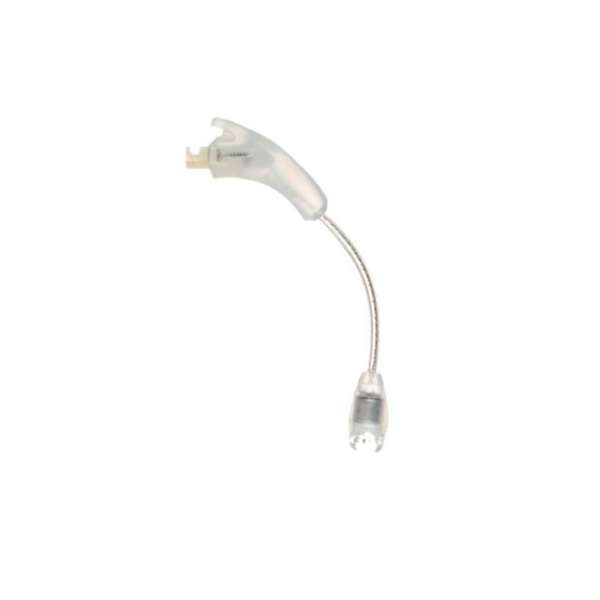

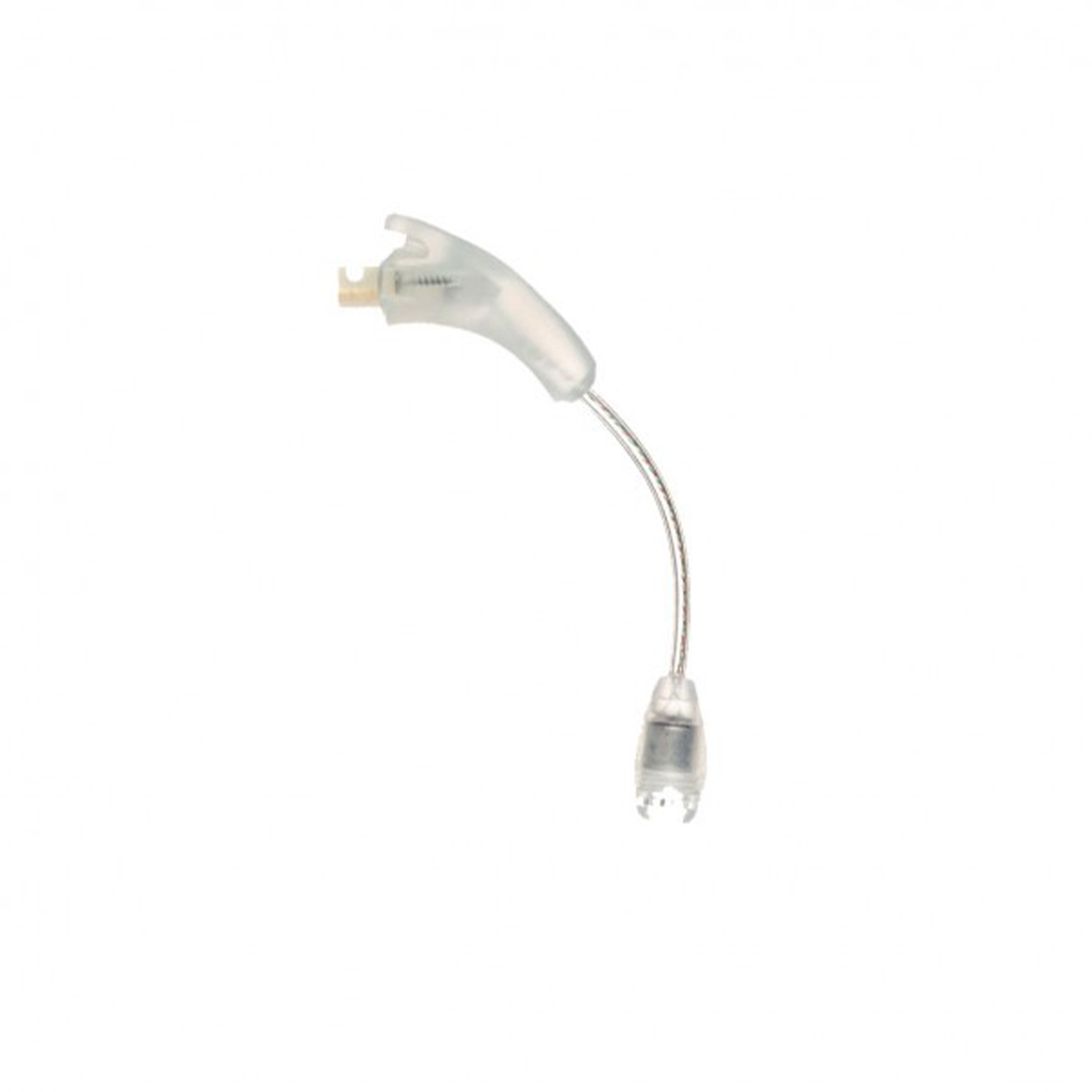
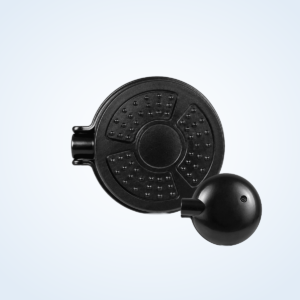
The Naida CI Q70 T-Mic is a replacement T-Mic 2 for the Advanced Bionics Naída CI Q70 cochlear implant processor. It clips into the ear hook position and runs a slim arm down to a microphone that rests at the opening of your ear canal, using the natural shape of your ear to collect sound. It corresponds to part number CI-5835 in small, medium and large.
Please note: this is for the Naída CI Q70 implant processor, not the Phonak Naída hearing aid. The T-Mic is one of the parts Q70 users most often need to replace. If your microphone has gone quiet, crackly or broken, this Naida CI Q70 T-Mic lets you keep the processor you know and trust.



Naida CI Q70 T-Mic at a glance
| Processor | Advanced Bionics Naída CI Q70 |
|---|---|
| Part number | CI-5835 |
| Arm lengths | Small (-100), medium (-200), large (-300) |
| How to choose size | Add your size to the order notes or message us |
| Product type | Third-party replacement T-Mic, compatible with the Q70 |
| Colour | See the product photo |
| Price | $120, regular price $197 |
| Dispatch | Within 24–48 hours |
| Guarantee | Replacement or refund if defective or wrong |
The Naida CI Q70 T-Mic has a live microphone and fine internal wiring, which makes it more delicate than a plain ear hook. Treat it gently and it will serve you well; when it does wear out, it is a straightforward swap at home.
Will this Naida CI Q70 T-Mic fit my processor?
It fits the Naída CI Q70, and the same T-Mic part also fits the Q30 and Q90. It does not fit Marvel, Harmony or hearing aid models.
| Processor | Result |
|---|---|
| Naída CI Q70 | Fits |
| Naída CI Q30 | Fits, see Naida CI Q30 T-Mic |
| Naída CI Q90 | Fits, see Naida CI Q90 T-Mic |
| Naída CI M90 (Marvel) | Does not fit |
| Advanced Bionics Harmony | Does not fit (uses the Auria T-Mic) |
| Phonak Naída hearing aid | Does not fit |
The Q70 and Q90 look nearly the same, so read the model printed on the casing. For the size, compare with your old T-Mic or check your clinic notes. A photo on WhatsApp is the quickest way to confirm both.
Why Q70 users keep a spare T-Mic
The T-Mic sits in the ear canal entrance and takes the most wear of any Q70 part: sweat, bumps and daily handling. A spare means a failed microphone never leaves you waiting.
For many people, the Q70 still works well, and upgrading is a big step in cost and adjustment. A working Naida CI Q70 T-Mic keeps phone calls and everyday conversation feeling natural while you decide on the future in your own time.
If insurance no longer covers accessories for your processor, ordering a replacement directly is often the fastest route.
It also helps to write down the details you will need later: your processor model, the T-Mic size you wear, and whether your program uses the T-Mic or the processor microphones. Ask your clinic to confirm these at your next visit. With that note in your wallet or phone, ordering the right part takes minutes, wherever you are.
Signs your Q70 T-Mic is failing
- Voices sound distant or muffled compared with a few weeks ago.
- A crackle or buzz appears when you move your head or touch the arm.
- Sound cuts in and out during conversations or phone calls.
- The arm is split, kinked or has lost its shape, so the microphone no longer sits at the ear canal.
- Signs of corrosion or residue at the connector, after sweaty or humid days.
- It simply stopped, with no visible damage at all.
A Q70 review on a hearing forum describes corrosion causing poor connections in the battery and cable. Moisture can affect the T-Mic connector in the same way, so keep it dry.
Microphones rarely fail all at once. More often, sound slowly loses its clarity over weeks, and it is only when a new T-Mic goes on that people realise how much they had been missing. If family members have started repeating themselves more often, or you are turning up the volume more than you used to, a tired microphone is worth considering.
How to fit the Naida CI Q70 T-Mic
- Turn the Q70 off and remove it from your ear.
- Hold the processor in one hand and pull the old T-Mic straight off the connector. Avoid bending the arm.
- Inspect the connector. Wipe away any residue with a dry cloth.
- Push the new Naida CI Q70 T-Mic straight onto the connector until it is firmly seated.
- Put the processor on your ear and guide the arm down the front of your ear.
- Rest the microphone at the opening of the ear canal, not inside it.
- Turn on and test in a quiet room, then on a phone call held to your ear.
If you had been using a plain hook for a while, check with your audiologist that your program still uses the T-Mic microphone.
Expect the new microphone to sound a little crisper than the old one, especially if the old one was fading. Most people settle in within a day. If the new Naida CI Q70 T-Mic sits awkwardly, try gently reshaping how it rests against your ear before deciding you need a different size.
Is it the T-Mic or the cable? A simple swap test
Dropouts on a Q70 can come from the T-Mic or from the headpiece cable, and users often replace the wrong one first. Try this:
- Fit a fresh, fully charged battery.
- Replace the T-Mic with a plain Naida CI Q70 ear hook and switch to a program that uses the processor microphones.
- Wear it for an hour, turning your head and moving around as usual.
If the dropouts stop, the T-Mic is the problem. If they continue, the Q70 UHP headpiece cable is the more likely cause. Many long-term Q70 users keep both spares for exactly this reason.
Keep a note of what you tried and what happened. If you contact us, that short record helps us confirm whether you need the microphone, the cable or both, and saves you buying a part you do not need.
Naida CI Q70 T-Mic troubleshooting
| Symptom | Likely cause | Action |
|---|---|---|
| Muffled sound | Blocked microphone opening | Brush the opening gently with a dry, soft brush. |
| Crackle when touching the arm | Broken internal wire | Replace the T-Mic. |
| Microphone sits outside the ear | Arm too short or bent out of shape | Try a longer size; replace a deformed arm. |
| Microphone presses into the canal | Arm too long | Try a shorter size. |
| Green or white marks at the connector | Corrosion from moisture | Dry the processor nightly; replace the T-Mic if sound is affected. |
| Works only in some positions | Intermittent wire fault | Replace the T-Mic. |
How to make your Naida CI Q70 T-Mic last longer
- Dry the processor overnight, especially in summer, using a cochlear implant dryer. This helps prevent the corrosion Q70 users mention.
- Lift the arm gently away from your ear when taking the processor off; do not pull on it.
- Clean the microphone opening with a soft dry brush every few days.
- Keep the processor in a hard case when not wearing it.
- Take the processor off before changing clothes or putting on headwear.
Users on hearing forums report needing to replace their T-Mic during the life of a processor, so it is sensible to keep a spare.
If you spend a lot of time outdoors, a T-Mic can pick up less wind than the processor microphones, because the microphone sits sheltered in the bowl of your ear. That same position also exposes it to wax and moisture, so cleaning is a small daily habit worth building. A soft, dry brush kept next to your charger makes it easy to remember.
When the arm starts to lose its shape or the outer surface looks worn, plan a replacement before it fails completely.
Is a replacement Naida CI Q70 T-Mic safe for my processor?
It is a third-party, compatible T-Mic 2 made to fit the Naída CI Q70 and to the CI-5835 part specification. It acts as a microphone input only; it does not change your implant settings or your program.
Each T-Mic is tested before it ships. If it is faulty on arrival, or the wrong part or size, we replace it or refund you. We are an independent supplier and have no connection to Advanced Bionics.
Having a reliable source of parts matters. We keep a stock of Naida CI Q70 T-Mic replacements so Q70 users can carry on with the processor they are used to. If you are ever unsure whether a part is right for you, ask us before ordering and we will help.
Shipping, payment and returns for the Naida CI Q70 T-Mic
Every Naida CI Q70 T-Mic order is packed and dispatched within 24–48 hours with tracking. Delivery usually takes 12–22 business days worldwide, and duties are handled for you on most routes, so there is nothing extra to pay at the door. Shipping is free on orders over $250, which is easy to reach if you add a spare cable or charger.
Payment runs through a secure payment gateway with all major cards. If we send the wrong item, or the part arrives defective or damaged, message us within 14 days with a short video. We replace it or refund you, and we cover the return shipping. Change-of-mind returns are not accepted on hygiene-sensitive hearing parts. Full details are in our return policy.
Other Naida CI Q70 parts you may need
Keep your Naida CI Q70 working with these matching spares:
- Naida CI Q70 ear hook – Backup hook and swap-test tool.
- Naida CI Q70 UHP headpiece cable – The other common cause of dropouts.
- Naida CI Q70 PowerCel 230 battery – Full-size rechargeable.
- Naida CI Q70 PowerCel 110 Mini – Lighter rechargeable.
- Naida CI Q70 charger – PowerCel charger CI-5605.
- Electric dryer – Helps prevent connector corrosion.
Naida CI Q70 T-Mic FAQ
Can I still buy a T-Mic for my Q70?
Yes. We stock this replacement T-Mic and ship it worldwide.
Is the Naida CI Q70 T-Mic the same part as the Q90 T-Mic?
Yes, the T-Mic 2 part is shared across the Naída CI Q range.
Which size do I need?
Match your current size. If the microphone slips away from your ear canal, choose longer; if it presses in, choose shorter.
How do I know whether my T-Mic or my cable is faulty?
Use the swap test above with a plain ear hook. If the dropouts stop, replace the T-Mic.
My T-Mic connector has green marks. What are they?
Usually corrosion from moisture. Dry the processor nightly and replace the T-Mic if sound is affected.
Will a new T-Mic change my hearing program?
No. Your audiologist controls the program; the T-Mic is a microphone input.
Does it fit an Advanced Bionics Harmony?
No. Harmony uses the earlier Auria T-Mic.
How do I tell you my size?
Add it to your order notes or message us on WhatsApp.
What if it does not work when it arrives?
We replace it or refund you; contact us with your order number.
Can I wear a plain ear hook while I wait?
Yes. A plain hook keeps the processor on your ear, using the processor microphones until your new T-Mic arrives.
Questions about your Naida CI Q70? Message us on WhatsApp (+1 520 473 4179) with a photo of your processor and we confirm the right part before you pay.






rakinzakwan –
Great deal