



Advanced Bionics
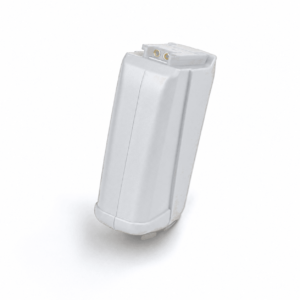
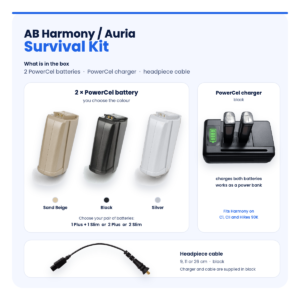
AB Harmony / Auria PowerCel Plus & Slim Battery Replacement – Black
$135.00
In stock
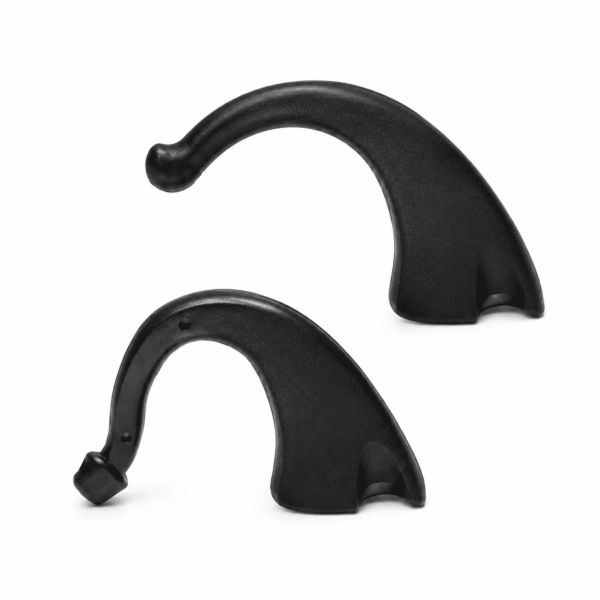
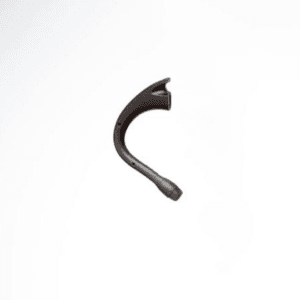
The AB Harmony Standard Earhook is a black replacement ear hook for the Advanced Bionics Harmony sound processor. It is the curved piece at the top of the processor that sits over your ear and holds everything in place, comparable to the AB Auria Standard Earhook in the CI-5730 series.
An earhook looks like a simple piece of plastic, but it takes more strain than almost any other part. It flexes every time you put your processor on, it is exposed to sweat and sunlight, and over the years it turns brittle. When it cracks, the processor starts to slip and wobble. A fresh AB Harmony Standard Earhook brings back a secure, comfortable fit for a modest cost.
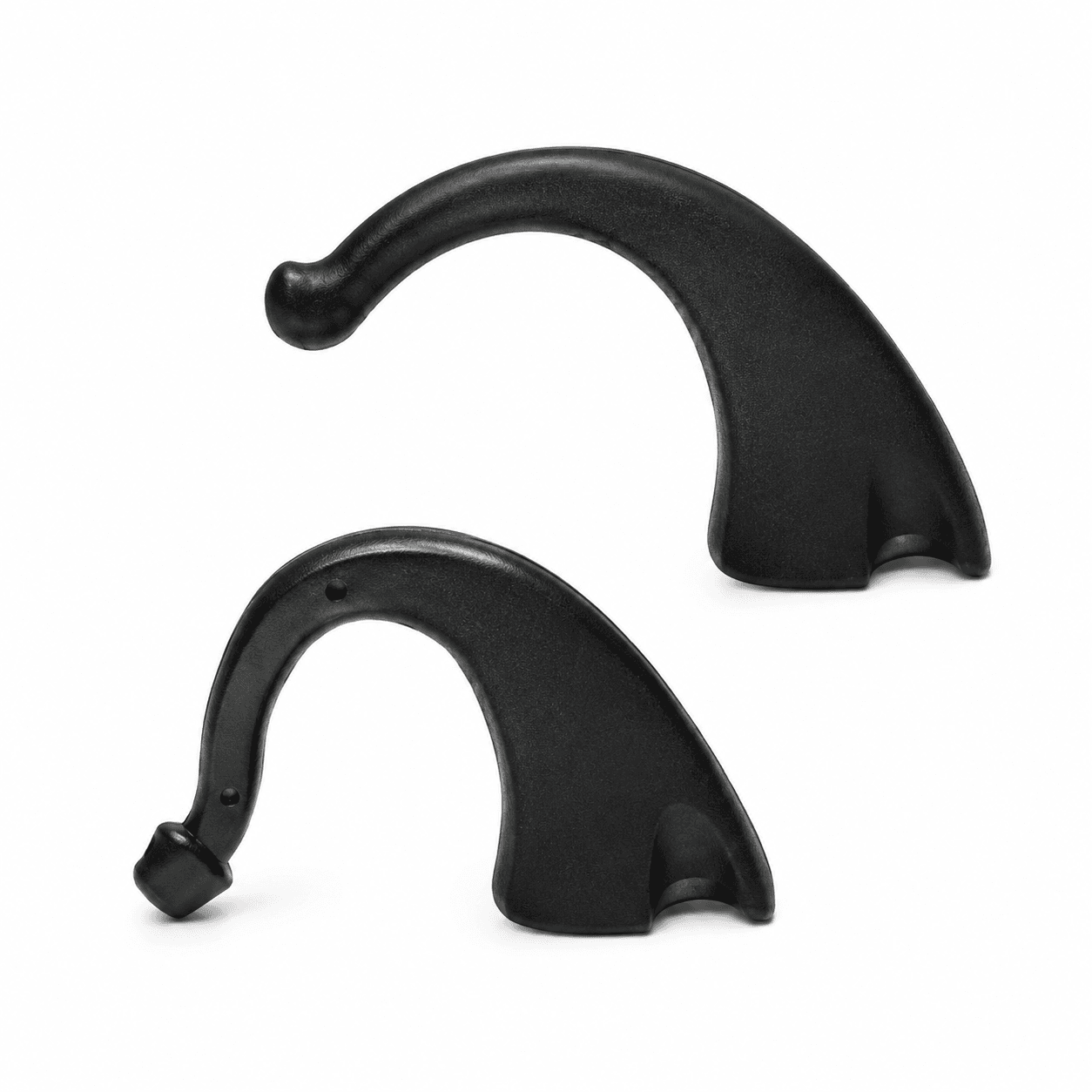



| Fits | Advanced Bionics Harmony behind-the-ear processor |
|---|---|
| Type | Standard earhook (no audio connection) |
| Comparable part number | CI-5730 series (Auria Standard Earhook) |
| Colour | Black |
| Price | $115 |
| Dispatch | Within 24–48 hours, tracked, worldwide |
| Guarantee | Replaced or refunded if wrong or defective (14 days) |
With a standard earhook, your Harmony uses the microphone on the processor itself. If you would rather have the microphone at the ear canal opening, that is the job of a T-Mic, which replaces the earhook entirely. AB also made earhooks in a small size; this listing is the standard earhook, so if your current hook is a small one, message us before ordering.
| Processor or set-up | Fits? | Notes |
|---|---|---|
| Advanced Bionics Harmony BTE | Yes | — |
| Harmony with a T-Mic | Yes, as an alternative | Swap the T-Mic for this earhook when needed |
| Harmony with a Direct Connect earhook | Fits, but no audio input | This hook has no connection for audio cables |
| Naida CI Q30 / Q70 / Q90 | No | Naida CI uses its own earhook (CI-5710) |
| Cochlear Nucleus or MED-EL | No | Brand-specific earhooks |
The Harmony earhook attaches at the top of the processor, at the same point as a T-Mic. If you have an Advanced Bionics Harmony, this earhook fits whether you normally wear a standard hook, a T-Mic or a Direct Connect earhook. Just remember that it does not carry audio from external devices.
Not sure what you wear? Check your user guide or clinic paperwork, or send us a side-on photo of the processor on your ear. We will confirm before you pay.
| Option | What it does | Microphone | Good for |
|---|---|---|---|
| Standard earhook | Holds the processor on the ear | Uses the microphone on the processor | Everyday wear, simple and robust |
| T-Mic | Holds the processor and places a microphone at the ear canal | Uses the T-Mic microphone | Phone held to the ear, earbuds and headphones |
| Direct Connect earhook | Holds the processor and takes an audio cable | Processor microphone plus audio input | Wired audio from music players and other devices |
It is worth keeping a standard earhook even if you wear a T-Mic most of the time. If a T-Mic fails, the earhook keeps the processor on the ear while you wait for a replacement. Your clinic sets which microphone each program uses, so if you change between a T-Mic and an earhook, ask your audiologist which program to use with each.
If you want a T-Mic instead, see our AB Harmony T-Mic in small or large.
An earhook is the part that holds the whole processor on your ear, and it is also the part most likely to crack from daily handling, glasses and hats.
A cracked earhook is a cheap fault that can still leave a processor falling off your ear several times a day, so keeping a spare in the processor case makes sense.
A replacement AB Harmony Standard Earhook is a simple fix that keeps a working processor comfortable and secure.
A loose earhook can also make sound seem to come and go, because the processor shifts and pulls on the headpiece cable. If your sound cuts out when you turn your head, check both the earhook and the cable.
A new earhook can feel slightly firmer than an old one that has worn soft. Give it a day or two, and if it causes any soreness, contact us or your clinic.
| What you notice | Likely cause | What to do |
|---|---|---|
| Processor still slips off | Hook not fully seated, or ear shape needs a different size | Refit firmly. If it still slips, message us about sizing |
| Earhook rotates on the processor | Not pushed fully home | Remove and refit until it clicks into place |
| Sore spot on top of the ear | New hook sits differently | Check the position. Ask your clinic if soreness continues |
| Sound changes after switching from a T-Mic | Program set for the T-Mic | Ask your audiologist which program to use with an earhook |
| Sound cuts out when moving | Often the headpiece cable | Try a spare headpiece cable |
For cable faults, see our Harmony headpiece cable, available in 9, 11 and 26 cm lengths.
The earhook shares a small space with everything else you wear around your ear. A few simple habits make a new earhook more comfortable and keep the processor where it should be.
If the processor still moves around with a new AB Harmony Standard Earhook in place, look at the headpiece position and cable length too. A cable that is too short pulls the processor backward, and one that is too long can snag.
Earhooks are small, low-cost parts. Replacing them before they crack is easier than dealing with a processor that falls off in a crowded place.
This AB Harmony Standard Earhook is a third-party compatible part. It is not made or authorised by Advanced Bionics. It is made to the same size, connection and specification as the Harmony standard earhook it replaces, so it attaches in the same place and holds the processor in the same way.
We check each earhook before dispatch. If yours arrives defective or is the wrong part, we replace it or refund you. An earhook has no electronics, and it does not change your program or how your implant works.
Every AB Harmony Standard Earhook order is packed and dispatched within 24–48 hours with tracking. Delivery usually takes 12–22 business days worldwide, and duties are handled for you on most routes, so there is nothing extra to pay at the door. Shipping is free on orders over $250, which is easy to reach if you add a spare cable or charger.
Payment runs through a secure payment gateway with all major cards. If we send the wrong item, or the part arrives defective or damaged, message us within 14 days with a short video. We replace it or refund you, and we cover the return shipping. Change-of-mind returns are not accepted on hygiene-sensitive hearing parts. Full details are in our return policy.
Keep your AB Harmony working with these matching spares:
It holds the processor on your ear. With a standard earhook, the Harmony uses the microphone on the processor. A T-Mic is the alternative if you want the microphone at the ear canal.
Auria is the name of AB’s Harmony accessory line. This AB Harmony Standard Earhook is a replacement made to fit where the Auria Standard Earhook (CI-5730 series) fits. It is not made by Advanced Bionics.
Yes. Both attach at the same point on the Harmony. Your audiologist sets which microphone each program uses, so ask which program suits each set-up.
No. This is a standard earhook. Wired audio needs a Direct Connect earhook, which is a different part.
No. The Naida CI has its own earhook with a different connection. This earhook is only for the Advanced Bionics Harmony.
Only for looks. This earhook is black, which blends with darker processor finishes and dark hair.
AB made earhooks in standard and small sizes. This listing is the standard size. If your current hook is small, message us before ordering.
Replace it when it cracks, loosens or turns brittle. Keeping a spare AB Harmony Standard Earhook in your kit lets you swap it the same day.
No. The earhook does not change your program or the sound itself. If you switch from a T-Mic, the change in microphone can make sound feel different, which your audiologist can help with.
Check that the earhook is fully pushed onto the processor and does not rotate. Then check the headpiece cable length, because a cable that is too short pulls the processor backward off the ear.
Questions about your AB Harmony? Message us on WhatsApp (+1 520 473 4179) with a photo of your processor and we confirm the right part before you pay.


We are here to help you with any question.
 English English
  Français
 Español
 Deutsch
 العربية



lindaftroia –
Perfect fit!