




The cable that connects your sound processor to the headpiece (coil) is one of the smallest parts of your cochlear implant system, but it is also one of the parts that wears out most often. It bends every time you put your processor on, take it off, brush your hair or move your head.
When a cable starts to fail, sound can cut in and out, crackle or stop completely. This guide explains the common signs of a faulty cochlear implant cable, what to check first, and how to find the right replacement cable for your processor.
Key takeaways
- Coil cables are a wear item: daily bending, sweat and moisture slowly damage the wires inside.
- Intermittent sound, crackling or sound that cuts out when you move your head are classic signs of a failing cable.
- Try a spare cable first: it is the fastest way to know whether the cable or another part is the problem.
- Cables are processor-specific, so always order the one made for your exact model.
In this guide
Need a cable for your processor?
Send us your processor model on WhatsApp and we will confirm the right cable before you order.
Why Cochlear Implant Cables Wear Out
Inside each cable are very thin wires. Every time the cable bends near the connectors, those wires flex a little. Over months of daily use, this movement, together with sweat, humidity and the occasional tug, can break the wires or weaken the connectors.
Children, active adults and people who wear their processor during sports usually go through cables faster. That is why many implant users keep a spare cable at home and another in their bag.
7 Signs Your Cable Needs Replacing
- Sound cuts in and out, especially when you turn your head or touch the cable.
- You hear crackling, buzzing or static that was not there before.
- The processor shows a coil-off or no-connection warning even though the headpiece is in place.
- Sound only works when you hold the cable in a certain position.
- The cable jacket is cracked, kinked, flattened or discolored.
- The connectors are loose, bent or do not click firmly into place.
- The problem disappears when you try a different cable.
Quick Checks Before You Replace the Cable
Before ordering, a few simple checks can help you confirm the cable is the cause:
- Make sure the battery is fully charged and correctly attached.
- Check that both cable ends are pushed in fully and the headpiece sits correctly on your head.
- Look for dirt or moisture on the connectors and let the parts dry completely.
- If you have a spare cable, swap it in. If the sound returns to normal, the old cable is faulty.
If the problem continues with a new cable and a charged battery, the issue may be the headpiece, microphone or processor. In that case contact your audiologist or implant center.
Cochlear Nucleus Cables (N5, N6, N7)
Cochlear Nucleus cables are designed for specific processor generations. Choose the one that matches your processor:
| Processor | Model | Cable |
|---|---|---|
| Nucleus 7 | CP1000 | Cochlear N7 Coil Cable |
| Nucleus 6 | CP910 / CP920 | القوقعة N6 كابل |
| Nucleus 5 | CP810 | كابل كوكلير N5 |
-
كوكلير, نيوكليس 7 / N7
Cochlear N7 Coil Cable
السعر الأصلي هو: 380.00 $.299.00 $السعر الحالي هو: 299.00 $.لا يوجد منظمة العفو الدولية الاستعراض الموجز.تحديد أحد الخيارات هناك العديد من الأشكال المختلفة لهذا المنتج. يمكن اختيار الخيارات على صفحة المنتجعرض سريع -
كوكلير, N6 CP900
القوقعة N6 كابل
86.00 $لا يوجد منظمة العفو الدولية الاستعراض الموجز.تحديد أحد الخيارات هناك العديد من الأشكال المختلفة لهذا المنتج. يمكن اختيار الخيارات على صفحة المنتجعرض سريع -
N5 CP800, كوكلير
كابل كوكلير N5
السعر الأصلي هو: 120.00 $.86.00 $السعر الحالي هو: 86.00 $.لا يوجد منظمة العفو الدولية الاستعراض الموجز.تحديد أحد الخيارات هناك العديد من الأشكال المختلفة لهذا المنتج. يمكن اختيار الخيارات على صفحة المنتجعرض سريع


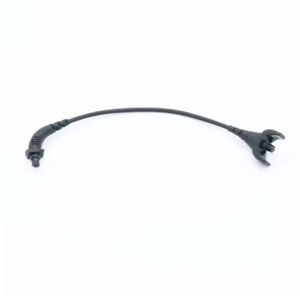
Advanced Bionics Naída CI & Harmony Cables
Advanced Bionics cables are matched to the processor family. We stock cables for the Naída CI Q-series and for Harmony processors:
-
ادفانسيد بايونكس, نييدا Q70
Naída CI Q90 Cable
السعر الأصلي هو: 138.50 $.89.99 $السعر الحالي هو: 89.99 $.لا يوجد منظمة العفو الدولية الاستعراض الموجز.تحديد أحد الخيارات هناك العديد من الأشكال المختلفة لهذا المنتج. يمكن اختيار الخيارات على صفحة المنتجعرض سريع -
ادفانسيد بايونكس, نييداQ70
Naída CI Q70 كابل
السعر الأصلي هو: 138.50 $.89.99 $السعر الحالي هو: 89.99 $.لا يوجد منظمة العفو الدولية الاستعراض الموجز.تحديد أحد الخيارات هناك العديد من الأشكال المختلفة لهذا المنتج. يمكن اختيار الخيارات على صفحة المنتجعرض سريع -
ادفانسيد بايونكس, نييدا Q30
Naída CI Q30 كابل
السعر الأصلي هو: 138.50 $.89.99 $السعر الحالي هو: 89.99 $.لا يوجد منظمة العفو الدولية الاستعراض الموجز.تحديد أحد الخيارات هناك العديد من الأشكال المختلفة لهذا المنتج. يمكن اختيار الخيارات على صفحة المنتجعرض سريع


-
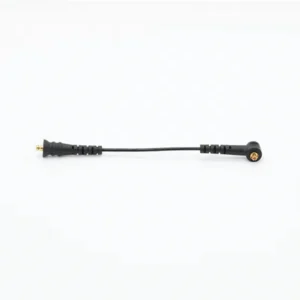
ادفانسيد بايونكس, هارموني
كابل أي بي هارموني
السعر الأصلي هو: 110.00 $.85.00 $السعر الحالي هو: 85.00 $.لا يوجد منظمة العفو الدولية الاستعراض الموجز.تحديد أحد الخيارات هناك العديد من الأشكال المختلفة لهذا المنتج. يمكن اختيار الخيارات على صفحة المنتجعرض سريع

Looking for more Naída CI parts? See our Naída CI replacement parts guide. Using a Harmony processor? See our AB Harmony replacement parts guide for headpieces, batteries and more.
MED-EL Cables
For MED-EL users, we carry the OPUS 2 cable. Check your processor model before ordering, as MED-EL cables differ between processor families.

How to Make Your Cable Last Longer
- Hold the connector, not the wire, when you plug or unplug the cable.
- Avoid sharp bends and do not wrap the cable tightly around the processor.
- Keep it dry. Wipe off sweat and use a hearing aid dryer overnight if you live in a humid climate.
- Check it regularly for cracks or kinks near the connectors.
- Keep a spare. A spare cable is the quickest fix when sound cuts out away from home.
-
ادفانسيد بايونكس, كوكلير, MED-EL
السمع مجفف
السعر الأصلي هو: 60.00 $.48.00 $السعر الحالي هو: 48.00 $.لا يوجد منظمة العفو الدولية الاستعراض الموجز.

Order a spare cable today
Free express shipping on orders over $250. Our team can confirm compatibility on WhatsApp.
الأسئلة المتداولة
How often should a cochlear implant cable be replaced?
There is no fixed schedule. It depends on how you wear your processor and how active you are. Replace the cable when you notice signs of wear or sound problems that go away with a new cable.
Is the cable the same as the headpiece or coil?
No. The headpiece (coil) is the part that sits on your head over the implant. The cable connects the headpiece to the sound processor. On some processors the coil and cable come as one part, so check the product description for your model.
Can I use a Nucleus 6 cable on a Nucleus 7 processor?
No. Cables are made for specific processor models, so always choose the cable listed for your exact processor.
What if a new cable does not fix the problem?
If sound problems continue with a new cable and a fully charged battery, contact your audiologist or implant center to check the headpiece, microphone and processor.
Still not sure which cable you need?
Send us a photo of your processor and current cable on WhatsApp and we will help you choose.

Naída CI Replacement Parts Guide: Q90, Q70, Q30 & Marvel

How Long Do Cochlear Implant Batteries Last? Replacement Guide

AB Harmony Replacement Parts Guide: Batteries, Headpieces & Accessories

Where to Find Replacement Parts for Older Cochlear Implants



 Français
  Deutsch