






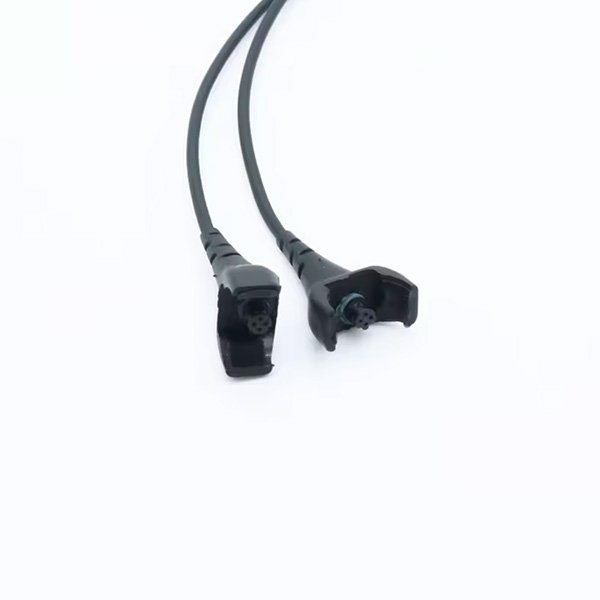
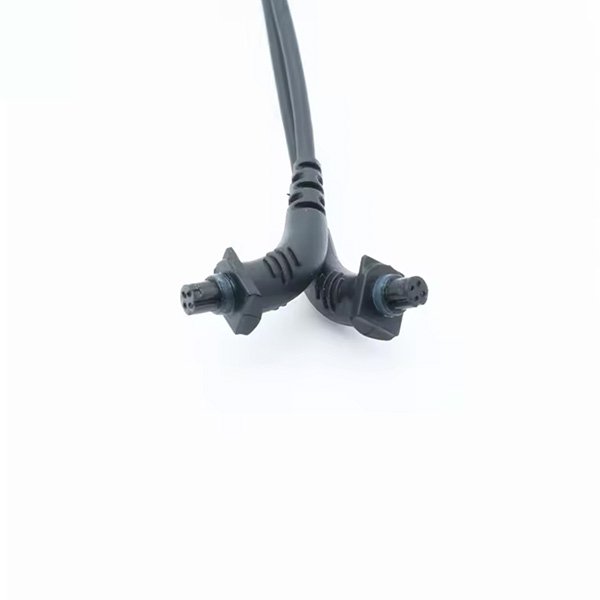
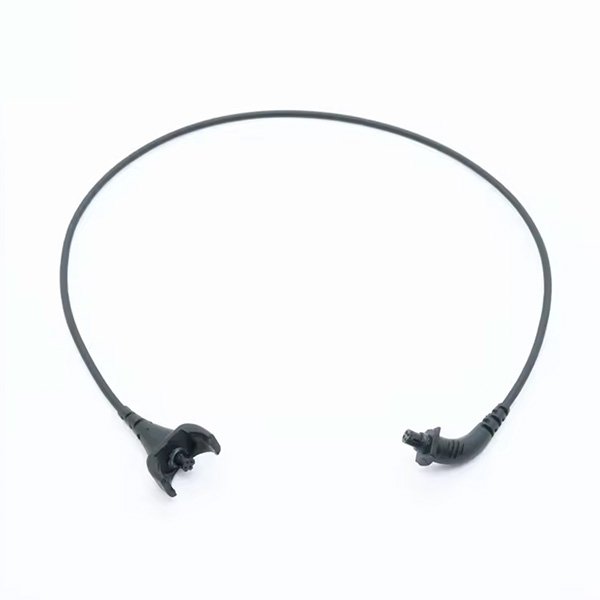
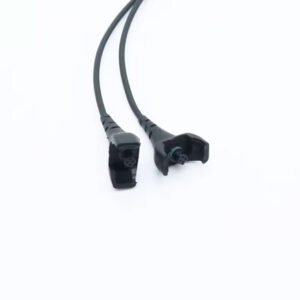
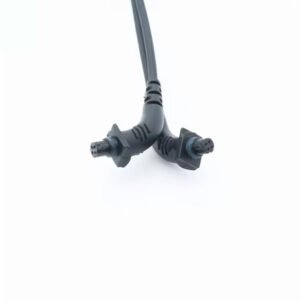
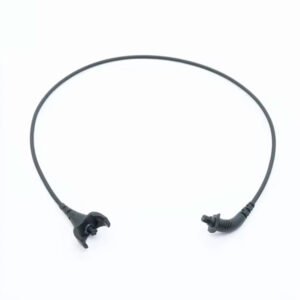

The Cochlear N5 CP800 CP810 Cable is a replacement coil cable for the Nucleus 5 sound processor, covering the CP810 and CP802 models of the CP800 series. It is the thin lead that runs from the processor behind your ear to the coil over your implant. On the Nucleus 5 the cable and coil are separate parts, so when sound starts dropping out, the cable is usually the cheaper and quicker fix.
On this page you can compare the three lengths we stock, confirm the fit for your processor, learn to tell a worn cable from a worn coil, and follow the steps to swap it at home. Each cable is a compatible replacement part in black, priced at $86 whichever length you choose, and checked before dispatch.
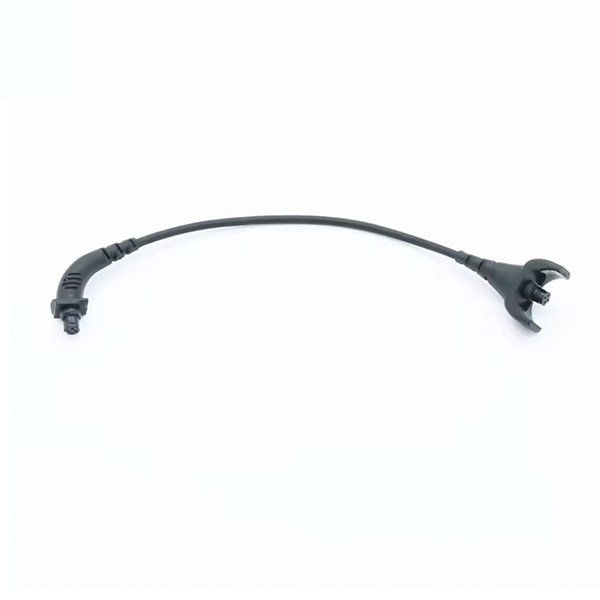



Cochlear N5 CP800 CP810 Cable at a glance
| Fits | Cochlear Nucleus 5 sound processors CP810 and CP802 (CP800 series) |
|---|---|
| What it is | Coil cable only; it connects your existing coil to the processor |
| Lengths | 8 cm, 11 cm, 28 cm |
| Reference part numbers | Z207507–Z207527 series |
| Colour | Black |
| Price | $86 for any length |
| Dispatch | Within 24–48 hours |
| Guarantee | Replaced or refunded if it arrives defective or is the wrong item |
The Z207507–Z207527 range is the Cochlear reference series for Nucleus 5 coil cables in different lengths and colours. If you still have an old cable bag or your clinic paperwork, a number in that series confirms you are looking at the right part family. This Cochlear N5 CP800 CP810 Cable is supplied in black only.
Will this Cochlear N5 CP800 CP810 Cable fit my processor?
| Your processor | Does it fit? | What to choose |
|---|---|---|
| Nucleus 5 CP810 | Yes | This cable, in the length you wear now |
| Nucleus 5 CP802 | Yes | This cable, in the length you wear now |
| Nucleus 6 (CP910 / CP920) | Not this listing | Our Nucleus 6 CP900 series coil cable |
| Nucleus 7 (CP1000) | No | Our Nucleus 7 slimline coil with cable |
| Nucleus Freedom | No | Our Freedom coil cable |
The processor model is printed on the processor body and listed in your clinic records. The CP810 is the main Nucleus 5 behind-the-ear processor; the CP802 is its sibling in the same CP800 family. Both take this cable.
Some wearers mention that certain Nucleus 5 parts also work on Nucleus 6, but we list the N5 and N6 cables as separate products with separate reference numbers. To avoid guesswork, order the cable listed for your own processor, or send us a photo on WhatsApp and we will check it for you.
Coil or cable: which part of your Nucleus 5 has failed?
Because the N5 coil and cable come apart, you can often find the fault yourself before ordering anything. The cable flexes every day and is the part that fails most often; the coil itself is more robust but can crack if dropped or stepped on.
- If sound cuts out when you wiggle the cable near either plug, the cable is the likely culprit.
- If the coil housing is cracked or the magnet no longer holds, the coil is the issue.
- If a borrowed or spare cable brings sound back, replace the cable and keep the coil.
- If nothing changes with a known-good cable and a charged battery, ask your clinic to check the processor.
This is why many N5 wearers keep a spare Cochlear N5 CP800 CP810 Cable at home. It costs far less than a coil and solves the most common cause of silence in a couple of minutes.
A quick home test needs only a spare N5 coil cable and a charged battery. Fit the spare, switch on, and gently move your head. Steady sound means the old cable was worn out; continued silence points to the coil, the magnet seating or the processor.
Signs your Nucleus 5 cable needs replacing
- Sound comes on and off, often when you turn your head or brush the cable.
- You hear crackling or short gaps that disappear when you hold the cable still.
- The outer cover is frayed, split or flattened, often right next to a plug.
- A plug feels loose or wobbles in its socket.
- The cable looks fine but sound has stopped, and a new battery changes nothing.
- There are green or dark marks on the plug pins, a sign of moisture.
Any one of these is reason enough to swap in a fresh Cochlear N5 CP800 CP810 Cable. A cable that only fails now and then tends to fail completely at the worst moment, such as at work or while travelling.
Nucleus 5 wearers also like to keep their own spares at home, as clinics tend to keep less stock for earlier models. Ordering a Cochlear N5 CP800 CP810 Cable before the old one fails completely saves days without sound.
How to fit your Cochlear N5 CP800 CP810 Cable
- Switch off the Nucleus 5 processor and take it off.
- Unplug the old cable from the processor, holding the plug, not the wire.
- Unplug the other end from the coil in the same way.
- Look at both new plugs and note which end goes to the processor and which to the coil; they are shaped differently.
- Push the coil end into the coil until it sits fully in.
- Push the processor end into the processor socket until it is firmly home.
- Put the processor on your ear, place the coil over your implant and switch on.
- Do a listening check in a quiet room, then move your head gently from side to side to confirm sound stays steady.
If you are changing length, try the new cable on before throwing the old one away. It is easier to compare the two side by side.
Nucleus 5 cable troubleshooting table
| What you notice | Likely cause | What to do |
|---|---|---|
| No sound at all with the new cable | Plug not fully seated at one end | Unplug both ends and push them in firmly again |
| Sound drops when you move | Old cable still in use, or loose plug | Confirm the new cable is fitted; re-seat both plugs |
| Coil pulls off your head | Cable too short | Try the next length up |
| Cable catches on glasses or a hat | Cable too long | Try a shorter length |
| Still silent with new cable and charged battery | Coil or processor fault | Contact your clinic for a check |
| Battery runs out very quickly | Ageing battery | Replace the N5 battery |
When a new Cochlear N5 CP800 CP810 Cable does not solve the problem straight away, test one change at a time: first the plugs, then the battery, then the coil. That way you know exactly which part to replace.
How to make your Cochlear N5 CP800 CP810 Cable last longer
- Pull on the plugs, never on the cable, when disconnecting.
- Store the processor with the cable in a loose curve, not wound tightly.
- Take the processor off before changing tops or pulling on a jumper.
- Keep plugs dry; moisture on the pins causes corrosion and crackly sound.
- Use an electric dryer overnight, especially in summer or after sport.
- Check the cable near both plugs every week for early cracks.
- Keep a spare cable in your bag or at work.
Coil cables are a wear part. Even with good care, the wire inside eventually tires from daily bending, so expect to replace the cable more often than the coil.
Is a replacement Cochlear N5 CP800 CP810 Cable safe for my Nucleus 5?
This is a third-party compatible cable, not a part made by Cochlear. It has the same plugs, the same lengths and the same specification as the cable it replaces, so it connects to your CP810 or CP802 and to your existing coil in the normal way.
We check each cable before dispatch. If it arrives faulty, fails early or is the wrong item, we replace it or refund you. If you would like us to confirm the fit first, send a photo of your current cable and coil on WhatsApp.
Picking 8, 11 or 28 cm for your Nucleus 5
The length is measured along the cable from plug to plug. The goal is a cable that lets the coil sit flat over your implant with a gentle curve behind the ear, without tension and without a loop.
| Length | When wearers usually choose it |
|---|---|
| 8 cm | Implant sits fairly close to the ear |
| 11 cm | Implant sits further back on the head |
| 28 cm | Processor worn away from the ear, for example clipped to clothing |
The safest choice is to reorder the length you already wear. Check your old cable bag or clinic notes. If you have neither, lay the old cable flat and measure it end to end with a soft tape, then choose the nearest size. Bilateral wearers should measure each side separately, as the two sides often differ.
Shipping, payment and returns for the Cochlear N5 CP800 CP810 Cable
Every Cochlear N5 CP800 CP810 Cable order is packed and dispatched within 24–48 hours with tracking. Delivery usually takes 12–22 business days worldwide, and duties are handled for you on most routes, so there is nothing extra to pay at the door. Shipping is free on orders over $250, which is easy to reach if you add a spare cable or charger.
Payment runs through a secure payment gateway with all major cards. If we send the wrong item, or the part arrives defective or damaged, message us within 14 days with a short video. We replace it or refund you, and we cover the return shipping. Change-of-mind returns are not accepted on hygiene-sensitive hearing parts. Full details are in our return policy.
Other Nucleus 5 parts you may need
Keep your Nucleus 5 working with these matching spares:
- Nucleus 5 rechargeable battery – Battery for the CP810 and CP802
- Nucleus 5 charger – Charge your N5 batteries
- Nucleus 5 microphone covers – Fresh covers for the CP800 series
- Electric dryer – Overnight drying for processor and cable
Cochlear N5 CP800 CP810 Cable FAQ
Does this cable include a coil?
No. It is the coil cable only. On the Nucleus 5 the coil and cable are separate, so you keep your existing coil and magnet.
Which Nucleus 5 models does it fit?
The CP810 and the CP802, both part of the CP800 series.
Is the price different for each length?
No. The 8 cm, 11 cm and 28 cm cables are all $86.
How do I know my N5 cable is the problem and not the coil?
Try a spare cable with a charged battery. If sound comes back, the old cable was at fault. If it stays silent, the coil or processor needs checking.
What reference numbers match this cable?
The Cochlear Nucleus 5 coil cable reference series is Z207507–Z207527, covering the different lengths and colours.
Can I use a Nucleus 6 cable on my Nucleus 5?
We list them as separate parts. Order the cable for your own processor, or message us with a photo if you are unsure.
My cable has green marks on the pins. Is that a problem?
It is a sign of moisture and corrosion, which often causes crackling or gaps in sound. Replace the cable and dry the processor overnight.
Why do Nucleus 5 cables wear out?
The thin wire inside bends every time you put the processor on or take it off. Over months, that flexing breaks the wire, usually near a plug.
Can I change the cable myself?
Yes. It unplugs at both ends and takes a couple of minutes. No tools are needed.
How long does delivery take for a Nucleus 5 cable?
We dispatch within 24–48 hours, and delivery usually takes 12–22 business days depending on your country. Shipping is free on orders over $250.
Questions about your Nucleus 5? Message us on WhatsApp (+1 520 473 4179) with a photo of your processor and we confirm the right part before you pay.





bobbytclark –
Much more comfortable than my old cable. The 11cm length is just right