






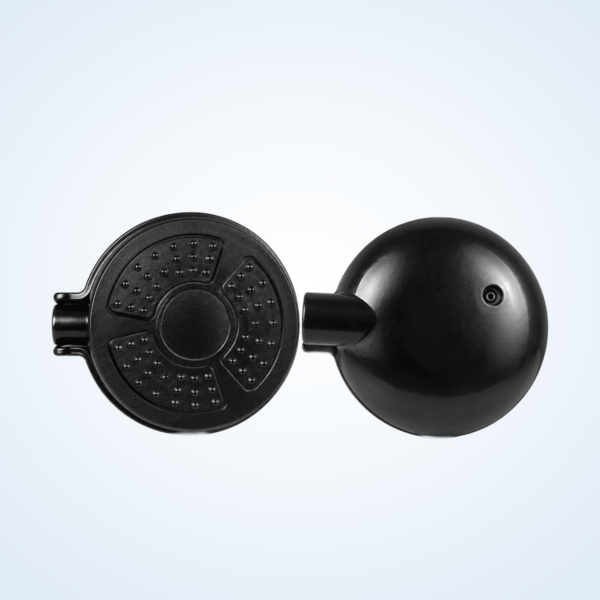
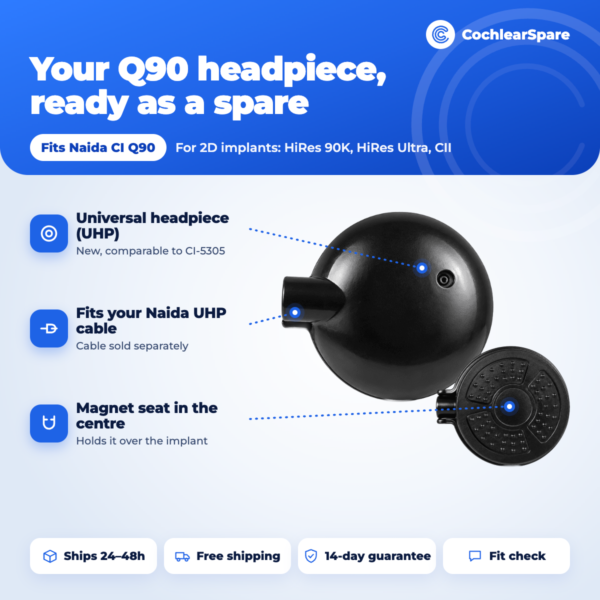
The Naida CI Q90 Headpiece is a new black universal headpiece for the Advanced Bionics Naida CI Q90 sound processor, comparable to the AB Universal Headpiece (UHP, CI-5305). It is the round piece that sits on your head over the implant, held in place by a magnet, and it sends sound from the processor to the implant through the skin.
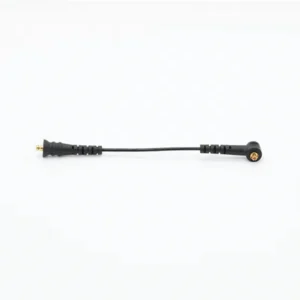
On a Naida CI Q90, the headpiece connects to the processor with a Naida UHP headpiece cable. If your headpiece is cracked, damaged or simply your only one, this Naida CI Q90 Headpiece lets you keep a working spare ready. It is new, checked before dispatch, and we confirm your set-up on WhatsApp before you pay.
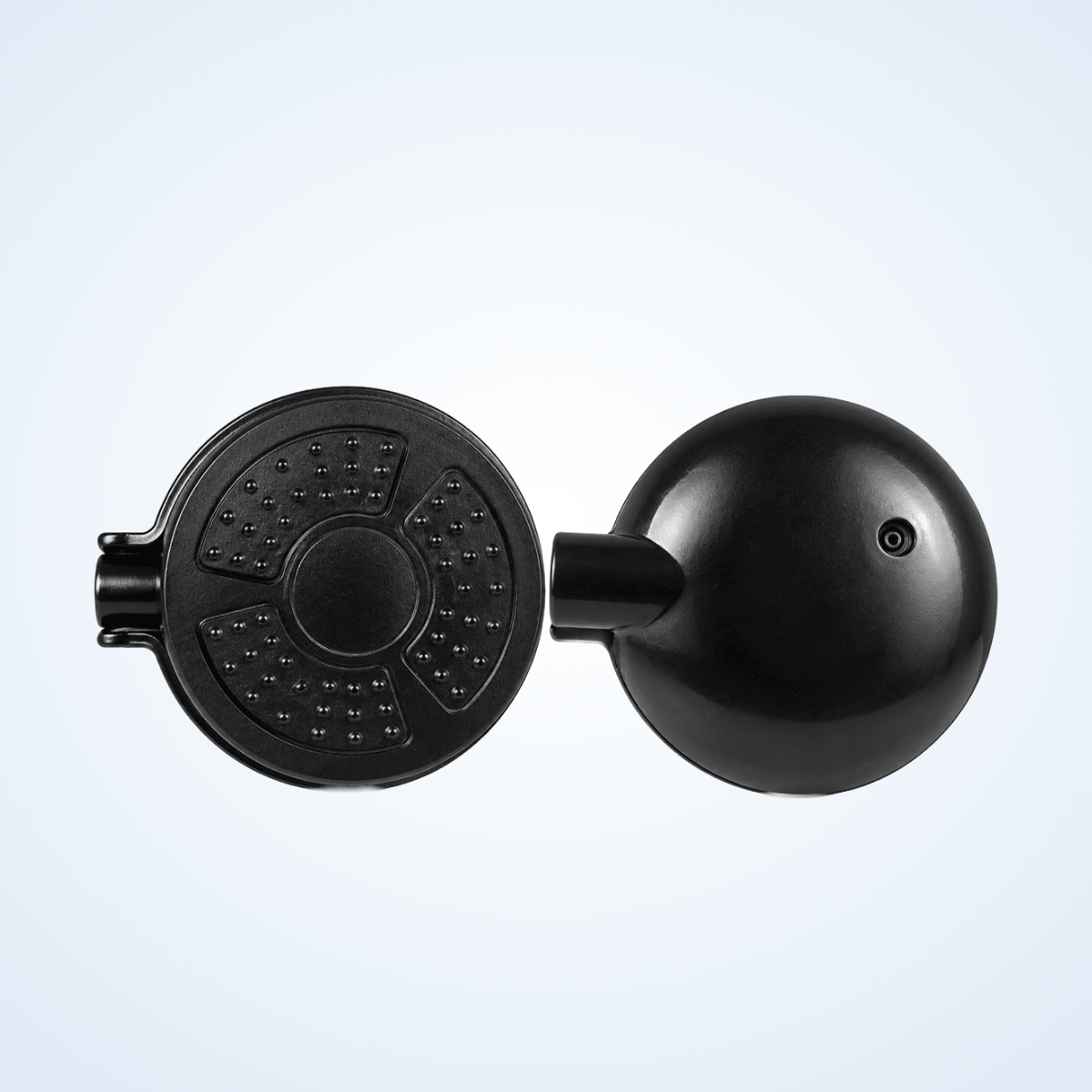



Naida CI Q90 Headpiece at a glance
| Fits | Advanced Bionics Naida CI Q90 behind-the-ear processor |
|---|---|
| Connects with | A Naida UHP headpiece cable (9, 11 or 26 cm), listed separately |
| Comparable part number | CI-5305 (AB Universal Headpiece, UHP) |
| Condition | New, checked before dispatch |
| Colour | Black |
| Price | $349.99 |
| Dispatch | Within 24–48 hours, tracked, worldwide |
| Guarantee | Replaced or refunded if wrong or defective (14 days) |
The same universal headpiece is used across Advanced Bionics processors. What changes from one processor to another is the cable, so on your Naida CI Q90 you plug it into a Naida UHP headpiece cable, the cable you already use if your current headpiece is a UHP.
Will this Naida CI Q90 Headpiece fit my processor?
| Processor | Fits? | Notes |
|---|---|---|
| Advanced Bionics Naida CI Q90 | Yes | Use a Naida UHP headpiece cable |
| Naida CI Q30 or Q70 | Yes | The same headpiece works; choose the cable for your model |
| AB Harmony or Auria | Yes | Uses a Harmony headpiece cable instead |
| Naida CI M90 (Marvel) | Ask us first | Send a photo so we can confirm your headpiece and cable |
| HiRes Ultra 3D implant (any processor) | No | Needs the UHP 3D headpiece (CI-5316) and 3D magnets |
| Cochlear Nucleus or MED-EL | No | Different implant systems and coils |
A headpiece has to match your implant system as well as your processor. This one is for people who wear an Advanced Bionics processor such as the Naida CI Q90. Your settings are stored in the processor, not in the headpiece, so a replacement headpiece does not need new programming. If anything sounds different after the swap, contact your audiologist.
Not sure which headpiece or cable you have? Send us a photo of your current headpiece, cable and processor and we will confirm the right parts before you order.
2D or 3D: check your implant first
This headpiece is the standard UHP for implants with a 2D magnet: HiRes 90K, HiRes Ultra and CII. The newer HiRes Ultra 3D implant has a magnet that turns in three directions for MRI scans, and it uses a different headpiece, the UHP 3D, with its own 3D magnets. A Naida CI Q90 can be paired with either implant, so the processor alone does not tell you which headpiece you need.
- Check your implant card or your clinic records for the implant name.
- Look at the magnet in your current headpiece: 3D magnets have arrows on top and a foam spacer attached.
- Look at your current headpiece: a UHP 3D is marked 3D and uses a UHP 3D colour cap.
- Still not sure? Choose “Not sure” when you order, or send us a photo on WhatsApp, and we confirm before we ship.
What UHP means for your Naida
UHP stands for Universal Headpiece. Advanced Bionics describes its UHP as compatible with all AB sound processors, which is why the same headpiece can serve a Harmony, a Naida CI Q30, Q70 or Q90. On your Naida CI Q90 it connects through a Naida UHP headpiece cable.
- It is new, not previously used, and checked before dispatch.
- It carries our standard guarantee: if it is defective or the wrong item, we replace it or refund you.
People often search for it as the Advanced Bionics Universal Headpiece or the AB UHP. If your current headpiece is a different AB model, such as the Slim HP, it uses a different cable, so send us a photo before you order.
What is inside a universal headpiece
- Coil: sends the sound signal and power through the skin to the implant.
- Magnet seat: the centre of the flat side, where the magnet holds the headpiece over the implant.
- Cable socket: the short tube on the side, where the Naida UHP cable plugs in.
- Dome cover: the rounded black top that faces outwards when you wear it.
Headpiece, cable and magnet: how the parts work together
| Part | What it does |
|---|---|
| Processor | Your Naida CI Q90 picks up sound, runs your programs and is powered by its PowerCel battery |
| Naida UHP cable | Carries the signal from the processor up to the headpiece |
| Headpiece | Sends the signal through the skin to the implant |
| Magnet | Holds the headpiece in place over the implant |
Sound only reaches you when every link works. A flat battery, a frayed cable or a cracked headpiece can each cause silence, and a worn cable can cause sound that comes and goes as you move. Test in this order: battery first, then the Naida CI Q90 headpiece cable, then the headpiece. The cable flexes all day, so it usually wears out sooner than the headpiece.
Signs your Q90 headpiece needs replacing
- Sound cuts in and out even after you fit a new headpiece cable.
- The processor signals that it has lost contact with the implant, although the headpiece is in place.
- The casing is cracked, or the cable socket is loose or damaged.
- The headpiece got wet or was dropped, and sound has not been right since.
- Nothing you change brings the sound back.
Always try the cheapest fix first: a fresh battery and a new Naida UHP cable. If the problem is still there, the headpiece is the likely cause.
How to connect your Naida CI Q90 Headpiece
- Turn your Naida CI Q90 off, or remove the battery.
- Unplug the old headpiece from the Naida UHP cable, holding the plug, never the wire.
- Plug the cable into the new headpiece until it is fully seated.
- Check that the other end of the cable is firmly connected to the processor.
- Put the processor behind your ear and place the headpiece over your implant. The magnet pulls it into position.
- Switch on, do a listening check, and move your head from side to side to make sure sound stays steady.
Check your skin under the headpiece over the first few days. A red mark or soreness can mean the magnet hold is stronger than you are used to.
Troubleshooting your Q90 headpiece
| What you notice | Likely cause | What to do |
|---|---|---|
| No sound at all | Battery, cable or headpiece | Fresh battery first, then a new cable, then the headpiece |
| Sound cuts out when you turn your head | Usually the headpiece cable | Replace the cable before the headpiece |
| Headpiece falls off easily | Magnet hold too weak, or hair under the headpiece | Part your hair under it. Ask your clinic about magnet strength |
| Redness or soreness under the headpiece | Magnet hold too strong | Remove it for a while and contact your clinic |
| Crackling or buzzing | Loose plug or moisture | Reseat the plugs. Dry the processor and headpiece overnight |
A drying unit such as our electric processor dryer helps if moisture or sweat is part of the problem.
How to make your Naida CI Q90 Headpiece last longer
- Lift the headpiece off by the casing, never by pulling the cable.
- Keep it dry. Take it off before showering, swimming or using a hair dryer.
- Wipe the casing gently with a dry cloth to remove sweat and skin oils.
- Keep it away from strong magnets and metal objects in your bag.
- Store it in a case at night, not loose where it can fall.
- Replace the cable at the first sign of fraying, because a damaged cable strains the plug.
Is this Naida CI Q90 Headpiece safe for my implant?
This Naida CI Q90 Headpiece is a new, third-party supplied part. We are not Advanced Bionics, and we are not authorised by AB. The headpiece uses the same UHP connection and is checked before dispatch.
Because it sits on your skin over the implant, check the skin under it during the first few days. If the magnet hold feels very different from your old headpiece, stop and contact your clinic, which can advise on magnet strength. If it is defective or not the right part, we replace it or refund you.
Shipping, payment and returns
Every Naida CI Q90 Headpiece order is packed and dispatched within 24–48 hours with tracking. Delivery usually takes 12–22 business days worldwide, and duties are handled for you on most routes. Shipping is free on orders over $250, so this headpiece ships free on its own.
Payment runs through a secure payment gateway with all major cards. If we send the wrong item, or the part arrives defective or damaged, message us within 14 days with a short video. We replace it or refund you, and we cover the return shipping. Change-of-mind returns are not accepted on hygiene-sensitive hearing parts. Full details are in our return policy.
Other Naida CI Q90 parts you may need
- Naida CI Q90 UHP headpiece cable – 9, 11 or 26 cm
- Naida CI Q90 rechargeable battery – PowerCel 230
- Naida CI Q90 battery – PowerCel 110 Mini
- Naida CI Q90 T-Mic 2
- Electric processor dryer – overnight drying
Naida CI Q90 Headpiece FAQ
Does it work with the HiRes Ultra 3D implant?
No. This is the standard 2D UHP for HiRes 90K, HiRes Ultra and CII implants. The HiRes Ultra 3D implant needs the UHP 3D headpiece. If you are not sure which implant you have, choose “Not sure” when you order and we confirm with you before shipping.
Does it come with a cable?
No. Use your current Naida UHP headpiece cable, or order a replacement Naida CI Q90 cable in 9, 11 or 26 cm. If your cable is frayed, replace it at the same time.
Is this the same headpiece as the Harmony UHP?
Yes, the universal headpiece is the same part. On a Naida CI Q90 it connects with a Naida UHP cable, and on a Harmony with a Harmony cable.
Does the headpiece need programming?
No. Your programs are stored in the processor. If sound feels different after the swap, your audiologist can check it.
What magnet strength does it have?
Magnet strength is set for each user. If the hold feels too strong or too weak compared with your old headpiece, contact your clinic before wearing it for long periods.
How do I know it is the headpiece and not the cable?
Swap the cable first. If sound still cuts out with a new cable and a fresh battery, the headpiece is the likely fault.
Can I keep it as a backup?
Yes. Keep the spare headpiece in a dry case so that a sudden failure does not leave you without sound.
Is black the only colour?
This headpiece is black. Colour does not affect how it works.
How fast will it arrive?
We dispatch within 24–48 hours with tracking. Delivery usually takes 12–22 business days worldwide, and shipping is free on this headpiece.
Questions about your Naida CI Q90? Message us on WhatsApp (+1 520 473 4179) with a photo of your processor and headpiece and we confirm the right part before you pay.








1 review for Naida CI Q90 Universal Headpiece (UHP) Replacement – New
There are no reviews yet.