






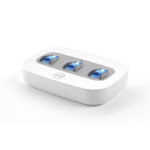
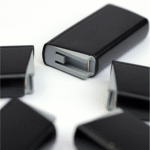
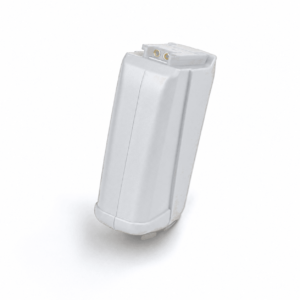
The AB Harmony Rechargeable Battery is a replacement PowerCel for the Advanced Bionics Harmony sound processor, offered here in black and in two sizes: the larger PowerCel Plus and the lighter PowerCel Slim. It attaches to the base of your Harmony processor in the same place as the battery you use now, and it charges in the Harmony PowerCel charger you already own.
Harmony wearers know their processor well and want to keep it working every day. An aging battery is usually the first part to let you down, and a fresh AB Harmony Rechargeable Battery is the simplest fix. Below you will find the specs, a fit check, the signs of a worn battery, care tips and answers to common questions.




AB Harmony Rechargeable Battery at a glance
| Fits | Advanced Bionics Harmony behind-the-ear sound processor |
|---|---|
| Sizes | PowerCel Plus (larger) or PowerCel Slim (smaller and lighter), chosen at checkout |
| Comparable part numbers | CI-5540 (Auria PowerCel Plus), CI-5520 (Auria PowerCel Slim) |
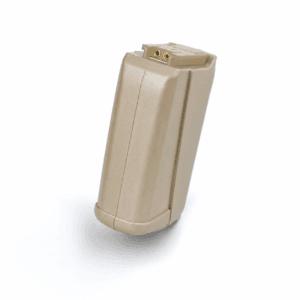
| Colour | Black. A Sand Beige version is listed separately |
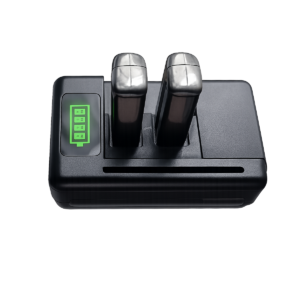
| Charging | Rechargeable in the Advanced Bionics Harmony PowerCel charger |
| Price | $135 for either size (regular price $179) |
| Dispatch | Within 24–48 hours, tracked, worldwide |
| Guarantee | Replaced or refunded if wrong or defective (14 days) |
Both sizes cost the same, so the choice comes down to how long you need between charges and how much weight you are comfortable carrying behind your ear. If you wear your processor from early morning until late at night, the Plus is usually the safer pick. If comfort and a smaller profile matter more, the Slim is the lighter option. The black AB Harmony Rechargeable Battery suits darker processor finishes and darker hair, where a pale battery would stand out.
Will this AB Harmony Rechargeable Battery fit my processor?
| Processor | Fits? | What to choose instead |
|---|---|---|
| Advanced Bionics Harmony BTE | Yes | This listing, Plus or Slim |
| AB Auria BTE (earlier model) | Ask us first | Send a photo on WhatsApp and we will check |
| Naida CI Q30 / Q70 / Q90 | No | Needs Naida CI PowerCel 110, 170 or 230 batteries |
| Naida CI M90 (Marvel) | No | Needs the M battery in small, medium or large |
| Cochlear Nucleus or MED-EL | No | Needs a battery made for that brand |
The Harmony battery is the lower section of the processor that you remove each night for charging. The processor model is listed in your user guide, on your clinic paperwork and on the box your processor came in. If you still have older batteries, they usually carry the PowerCel name, which tells you that you are in the right family.
If you are not completely sure, take a clear photo of the processor with the battery attached and send it to us. We will confirm the right part before you pay, so you do not order a Naida CI battery by mistake. The two look related, but the connectors and shapes are different.
Why a spare Harmony battery matters
A rechargeable battery is a consumable: with daily use it slowly loses capacity, and when it fails it tends to fail without warning.
A second battery means one can charge while you wear the other, and a tired cell never leaves you without sound in the middle of the day.
Signs your Harmony battery needs replacing
- The battery dies with no warning, sometimes in the middle of a conversation.
- It no longer lasts a full day, even after charging overnight.
- The low-battery warning appears soon after you put on a freshly charged battery.
- It feels loose on the processor, and sound drops out when you move or bump it.
- The charger will not charge it, while your other batteries charge normally.
- You can see cracks in the casing, corrosion on the contacts or any swelling.
A quick way to tell a tired battery from a different fault is to swap it. If a second, healthy battery gives you a normal day and the old one does not, the battery is the problem. If both behave badly, look at the charger, the headpiece cable or the processor itself. Any battery that is swollen, cracked or hot should be taken out of use straight away.
How to fit and charge your AB Harmony Rechargeable Battery
- Charge the new battery fully in your Harmony PowerCel charger before the first use, whatever level it arrives at.
- Remove the old battery from the processor in the way your user guide shows.
- Check that the contacts on the processor are clean and dry. Wipe them with a soft, dry cloth if needed.
- Line up the new PowerCel with the base of the processor and press it into place until it sits flush and firm.
- Switch on, check that your usual program starts, and do a short listening check.
- Label your batteries (a small dot of tape works) so you can rotate them and spot a weak one early.
Charge every night, and put the battery on the charger as soon as you take it off. The first few charge cycles can feel slightly different from what you are used to. Give a new AB Harmony Rechargeable Battery a few days of normal use before you judge how long it lasts.
Troubleshooting your Advanced Bionics Harmony battery
| What you notice | Likely cause | What to do |
|---|---|---|
| The battery will not charge | Dirty contacts or a charger fault | Clean the contacts with a dry cloth. Try another battery in the same slot. If nothing charges, the charger may be failing |
| It runs out much earlier than before | Battery aging, or a charge that did not finish | Leave it on the charger overnight. If it is still short, retire it |
| Sound cuts in and out when you turn your head | Usually the headpiece cable, sometimes a loose battery | Reseat the battery firmly, then try a spare headpiece cable |
| Nothing happens after fitting | Not charged or not fully seated | Remove, recharge and refit until it sits flush |
| A crack, swelling or heat | Physical damage | Stop using it, keep it off the charger and message us |
If the charger itself is the weak link, our Harmony PowerCel charger charges both Plus and Slim batteries. If the fault follows your head movements rather than the battery, a replacement headpiece cable is often the fix.
How to make your AB Harmony Rechargeable Battery last longer
- Keep at least two batteries and rotate them, so neither one is pushed to empty every day.
- Avoid heat. Do not leave batteries in a parked car, on a sunny windowsill or near a heater.
- If you will not use a battery for several weeks, store it part-charged in a cool, dry place rather than completely flat.
- Keep the contacts clean and dry. Moisture and sweat are a common cause of poor contact.
- Dry your processor overnight in a drying unit such as our electric processor dryer, following the dryer instructions about removing the battery.
- Carry spares in a small case, not loose in a pocket with keys or coins.
Rechargeable batteries are consumables. With daily use, many people replace them about once a year.
Is a replacement AB Harmony Rechargeable Battery safe for my processor?
It is a fair question, and users ask it often. This AB Harmony Rechargeable Battery is a third-party compatible part. It is not made, sold or authorised by Advanced Bionics. It is produced to the same size, connector and specification as the Harmony PowerCel it replaces, so it fits and charges the way your current battery does.
Each battery is checked before dispatch. If it arrives defective, or it is the wrong part, we replace it or refund you. As with any rechargeable battery, stop using it if it becomes damaged, swollen or unusually warm, and only charge it in a Harmony PowerCel charger.
Many users keep a tested replacement alongside the batteries they already have, so a worn cell never interrupts their day.
PowerCel Plus or PowerCel Slim: choosing your size
| PowerCel Plus | PowerCel Slim | |
|---|---|---|
| Size | Larger | Smaller |
| Weight behind the ear | Heavier | Lighter |
| Time between charges | Longer | Shorter |
| Good for | Long days, travel, heavy listening | Comfort, small ears, active days |
| Charger | Harmony PowerCel charger | Harmony PowerCel charger |
In Advanced Bionics naming, Harmony accessories belong to the Auria line, so you will also see these called the Auria PowerCel Plus (CI-5540) and Auria PowerCel Slim (CI-5520). Users often shorten them to “Plus” and “SlimCel”, and some spell it “Powercell”. They all refer to the same two battery sizes.
Some people like to keep one of each: a Plus for long days out and a Slim for the gym or quiet days at home. Because both sizes cost the same here, you can order the mix that suits your routine.
Shipping, payment and returns for the AB Harmony Rechargeable Battery
Every AB Harmony Rechargeable Battery order is packed and dispatched within 24–48 hours with tracking. Delivery usually takes 12–22 business days worldwide, and duties are handled for you on most routes, so there is nothing extra to pay at the door. Shipping is free on orders over $250, which is easy to reach if you add a spare cable or charger.
Payment runs through a secure payment gateway with all major cards. If we send the wrong item, or the part arrives defective or damaged, message us within 14 days with a short video. We replace it or refund you, and we cover the return shipping. Change-of-mind returns are not accepted on hygiene-sensitive hearing parts. Full details are in our return policy.
Other AB Harmony parts you may need
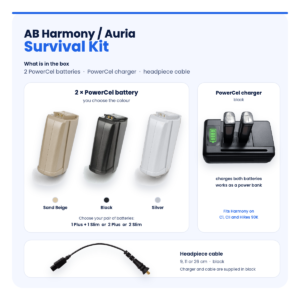
Keep your AB Harmony working with these matching spares:
- AB Harmony battery in Sand Beige – the same Plus or Slim choice in a beige finish
- AB Harmony PowerCel charger – charges Plus and Slim batteries
- AB Harmony headpiece cable – in 9, 11 or 26 cm
- AB Harmony T-Mic – small or large
- Electric processor dryer – overnight drying for your processor
AB Harmony Rechargeable Battery FAQ
Is this the same as an Auria PowerCel?
Auria is the name Advanced Bionics uses for its Harmony accessory line. This AB Harmony Rechargeable Battery is a replacement made to fit where an Auria PowerCel Plus (CI-5540) or PowerCel Slim (CI-5520) fits. It is not made by AB.
Will a black battery look odd on my processor?
Colour is cosmetic and does not affect how the battery works. Black blends in with darker processor finishes and darker hair. If your processor is beige, the Sand Beige version may suit you better.
Can I use a Plus and a Slim on the same processor?
Yes. Both sizes fit the Advanced Bionics Harmony, and both charge in the same Harmony PowerCel charger, so you can switch between them day to day.
How many hours will it last?
We do not quote a fixed number, because it depends on your program, settings and implant. As a guide, the Plus runs longer than the Slim. Charge overnight and you should be set for your usual day.
Do I need a new charger?
No. The AB Harmony Rechargeable Battery charges in the Harmony PowerCel charger you already have. If your charger has started to fail, a replacement charger is listed in our Harmony range.
Will it fit my Naida CI Q70 or Q90?
No. Naida CI processors use different PowerCel batteries with a different shape and connector. Message us and we will point you to the right part.
Is it the battery or the cable that is failing?
Swap in a different battery first. If the sound still cuts out when you smile or turn your head, the headpiece cable is the more likely cause.
Why keep more than one Harmony battery?
Batteries wear with every charge cycle. Rotating two or three means each one lasts longer and a spare is always ready.
How many batteries should I keep?
Two is the practical minimum, so one can charge while you wear the other. Keeping three means a spare is always ready if one fails without warning.
Questions about your AB Harmony? Message us on WhatsApp (+1 520 473 4179) with a photo of your processor and we confirm the right part before you pay.





anthonyestith –
I ordered for my dad’s AB Harmony Battery fits perfect and lasts long Delivery was smooth and fast to Abu Dhabi Really happy with the service
carenrroehl –
Battery came quick and it’s doing the job Easy to connect fits well No more worries during the day
eugenetmurray –
Fits my Harmony processor perfectly Charges fast lasts long very good price Exactly what I needed
barrycscanlon –
Okay I wasn’t expecting much but wow this battery actually lasts Super price Love it!
eloisefranklin –
Excellent battery life, holds a full charge all day . Highly recommend it if you need a reliable replacement for the Harmony processor.