






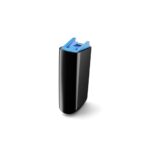

The Advanced Bionics Marvel Charger is a replacement battery charger for the rechargeable batteries used by the Advanced Bionics Naída CI M90 and Naída CI M30 on the Marvel platform. You place your Marvel batteries in it at night, and they are ready to wear in the morning.
A charger is easy to forget about until it stops working or gets left behind in a hotel room. Then every battery you own is only as good as its last charge. A second Marvel battery charger for work, travel or a second home removes that risk, and a replacement gets you back to normal quickly if your current charger has failed.




Advanced Bionics Marvel Charger at a glance
| Charges | Rechargeable batteries for the Naída CI M90 and Naída CI M30 (Marvel) |
|---|---|
| Does not charge | PowerCel batteries for the Naída CI Q30, Q70 or Q90 |
| Price | $295 |
| Dispatch | Within 24–48 hours, tracked |
| Guarantee | Wrong or defective item replaced or refunded within 14 days |
| Help before you buy | Send a photo of your batteries on WhatsApp and we confirm the match |
If you are not sure what comes in the box with the Advanced Bionics Marvel Charger, or whether it matches the charger you use now, ask us before you order. We would rather answer a question than have you wait for the wrong part.
Will this Advanced Bionics Marvel Charger work with my batteries?
| Battery | Charges? | Notes |
|---|---|---|
| Rechargeable batteries for the Naída CI M90 | Yes | This charger |
| Rechargeable batteries for the Naída CI M30 | Yes | This charger |
| Sky CI M90 batteries | Ask us first | AB lists one Marvel charger for M90 and Sky CI M90; send a photo so we can confirm |
| PowerCel batteries (Naída CI Q30, Q70, Q90) | No | Use the Q90 PowerCel charger, Q70 PowerCel charger or Q30 PowerCel charger |
| Disposable zinc-air cells | No | Disposable cells cannot be recharged |
Check the processor name first. Marvel processors are called M90 or M30. If yours says Q30, Q70 or Q90, it uses PowerCel batteries and needs a PowerCel charger instead.
Why a second Marvel charger makes sense
Marvel is the current Advanced Bionics platform, so most people buy this charger as a backup. A backup is worth having for a simple reason: without a charger, a rechargeable processor runs out of power within a day or two.
Chargers fail less often than cables or batteries, but they do get lost, dropped, or left plugged in at a hotel or a relative’s house. A second charger also means you never have to pack and unpack your only one each time you go away.
Families with a child who wears a Marvel processor often keep one Advanced Bionics Marvel Charger at home and another at a second household, so the child always arrives with charged batteries.
Signs your Advanced Bionics Marvel Charger is failing
- Batteries that charged normally now come out flat in the morning
- The charger lights do not come on, or flash in a pattern you do not normally see
- Charging only works if you press or hold the battery in place
- The charger gets unusually warm
- A visible crack, a loose part or a damaged power lead
- Batteries charge normally in a different charger
Some of these signs can also point to a battery fault. The next section helps you tell the two apart before you buy anything.
Charger or battery? How to tell
Users often ask whether flashing charger lights mean they need a new charger. Very often, the battery is the cause, not the charger. Test in this order:
- Clean the battery contacts and the charger contacts with a dry, soft cloth.
- Put a second battery in the same charger. If it charges normally, the first battery is the problem.
- Put the first battery in a different charger if you have one. If it still fails, replace the battery.
- Try a different socket and power lead. If nothing charges anywhere, the charger is the likely fault.
Cleaning the contacts alone has revived batteries that seemed dead for users of other processors, so it is always worth trying first. If the battery turns out to be the problem, see the AB Marvel rechargeable battery.
How to use the Advanced Bionics Marvel Charger
- Connect the charger to power as shown in your user guide.
- Remove the battery from your processor.
- Wipe the battery contacts if they look dull or dirty.
- Place the battery in the charger so it sits fully in place.
- Check that the charger shows it is charging.
- Leave it to charge, ideally overnight, and remove it when the charger shows it is full.
Charge at room temperature on a flat, dry surface, away from sinks and direct sun. Do not cover the charger while it is working.
Good charging habits for Marvel batteries
How you charge affects how long your batteries stay useful. A few simple habits help every battery you own.
- Charge every night, even if the battery still has some power left. Running batteries completely flat again and again is harder on them.
- Charge at normal room temperature. A cold windowsill or a hot car is not a good place to charge.
- Rotate your batteries so that each one is used and charged regularly, instead of one sitting unused in a drawer for months.
- Label your batteries, for example with a small dot of color on the case, so you can see if one battery keeps underperforming.
- Keep the contacts clean and dry before each charge.
If a single battery keeps coming out of the Advanced Bionics Marvel Charger less full than the others, the battery is aging, not the charger. That is the moment to order a replacement battery rather than a new charger.
Troubleshooting your charger
| What you see | Likely cause | What to do |
|---|---|---|
| No lights at all | No power reaching the charger | Try another socket and check the power lead |
| Lights flash with one battery only | A battery fault or dirty contacts | Clean the contacts, then test with another battery |
| Battery comes out partly charged | Not seated properly, or an aging battery | Reseat it and charge again; replace the battery if it repeats |
| Charger feels hot | Charging in a warm place or a fault | Move it somewhere cool; stop using it if it stays hot |
| Nothing charges anywhere | Charger fault | Replace the charger |
Looking after your Advanced Bionics Marvel Charger
- Keep it on a dry surface, away from bathrooms and kitchen sinks.
- Wipe the contacts gently every few weeks with a dry cloth.
- Unplug it before cleaning.
- Do not wrap the power lead tightly; that strains the connections.
- Pack it in a padded case when traveling.
- Dry your processor overnight in an electric processor dryer so moisture does not reach the batteries and the charger.
A well treated charger usually outlasts several batteries. The batteries themselves are the part that wears out with daily charging.
Traveling with your Advanced Bionics Marvel Charger
A charger is the one item that cannot be borrowed from a pharmacy or a hotel desk. Plan ahead so it is always with you.
- Pack it in your carry-on bag, so it stays with you if checked luggage is delayed.
- Bring a plug adapter for the country you are visiting.
- Charge on the first night of the trip, even if you charged before leaving.
- On cruises and camping trips, check in advance where you will be able to plug in.
Some people search for this part as a Marvel CI charger or a Naida M90 charger. Whatever you call it, the Advanced Bionics Marvel Charger is the part that keeps your Marvel batteries ready on the road.
Where to keep a second charger
Think about where you are most likely to be when a battery runs low. Common places for a second charger include:
- your office or workplace
- a travel bag that stays packed
- a second home, or a partner’s or grandparent’s house
- a child’s school or after-school club, kept with the teacher
Pair each charger with a spare battery and you have a complete backup in that place. If you do that, the AB Marvel rechargeable battery and this charger together cover most power problems.
Is a replacement charger safe for my Marvel batteries?
Yes. This is a third-party replacement, not a charger made by Advanced Bionics. It is built to charge Marvel batteries to the same specification as the charger it replaces, and we check each one before dispatch.
Use it with the batteries it is designed for, at room temperature, and stop using it if it becomes hot or damaged. If it arrives defective, or it is the wrong item, we replace it or refund you.
Shipping, payment and returns for the Advanced Bionics Marvel Charger
Every Advanced Bionics Marvel Charger order is packed and dispatched within 24–48 hours with tracking. Delivery usually takes 12–22 business days worldwide, and duties are handled for you on most routes, so there is nothing extra to pay at the door. Shipping is free on orders over $250, which is easy to reach if you add a spare cable or charger.
Payment runs through a secure payment gateway with all major cards. If we send the wrong item, or the part arrives defective or damaged, message us within 14 days with a short video. We replace it or refund you, and we cover the return shipping. Change-of-mind returns are not accepted on hygiene-sensitive hearing parts. Full details are in our return policy.
Other Naida CI M90 and M30 parts you may need
Keep your Naida CI M90 and M30 working with these matching spares:
- AB Marvel rechargeable battery – a spare battery to pair with this charger
- Marvel CI ear hook (M-Hook) – a replacement ear hook
- Marvel CI T-Mic – microphone at the ear canal
- Electric dryer for processors – keeps moisture away from contacts
Advanced Bionics Marvel Charger FAQ
Does this charger work with both the M90 and M30 batteries?
Yes. It charges the rechargeable batteries used by the Naída CI M90 and Naída CI M30.
Can I charge PowerCel batteries from my old Q90 in it?
No. PowerCel batteries need a PowerCel charger. We stock separate chargers for the Q30, Q70 and Q90.
My charger lights are flashing. Do I need a new charger?
Not necessarily. Clean the contacts and test with a second battery. If the second battery charges normally, replace the battery, not the charger.
How long does charging take?
It depends on the battery and how empty it is, so we do not quote a time. Charging overnight is the easiest habit.
Can I take it abroad?
Yes. Pack a plug adapter for the country you are visiting, and keep the charger in a padded case.
Is a second charger worth it if mine still works?
If you travel, work long days or split time between two homes, a second charger means you never pack your only one. It also keeps you hearing if your main charger fails, while you wait for a replacement.
What if the charger arrives faulty?
Send us a short video within 14 days. If it is defective or the wrong item, we replace it or refund you.
Can I leave batteries in the charger after they are full?
Remove them when the charger shows they are full, and follow the guidance in your user guide.
Questions about your Naida CI M90 and M30? Message us on WhatsApp (+1 520 473 4179) with a photo of your processor and we confirm the right part before you pay.




rogersoderstrom –
Charges batteries always does the job well
nexoto3789 –
I was looking for a replacement charger and found this one at a great price. The shipping was fast, The shipping took about 8 days، The product was working perfectly . It charges all my batteries efficiently with no issues. Very happy with this purchase
karilatourelle –
La charge est bonne et le chargeur fonctionne bien. J’ai aimé tout le processus d’achat, et la livraison en France s’est déroulée sans problème