






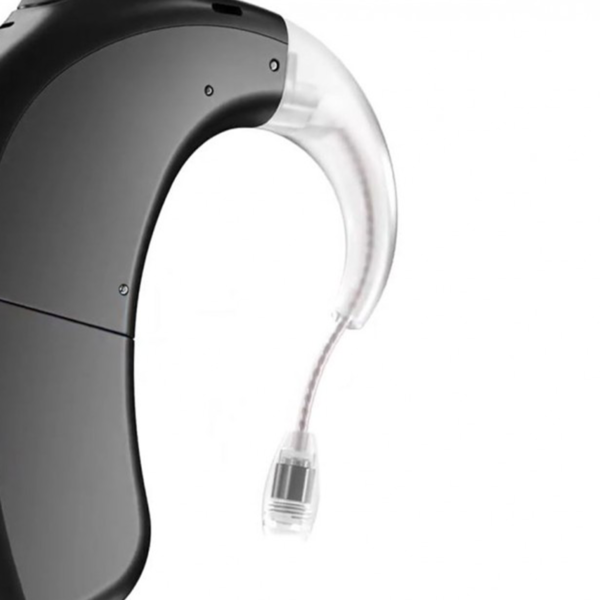

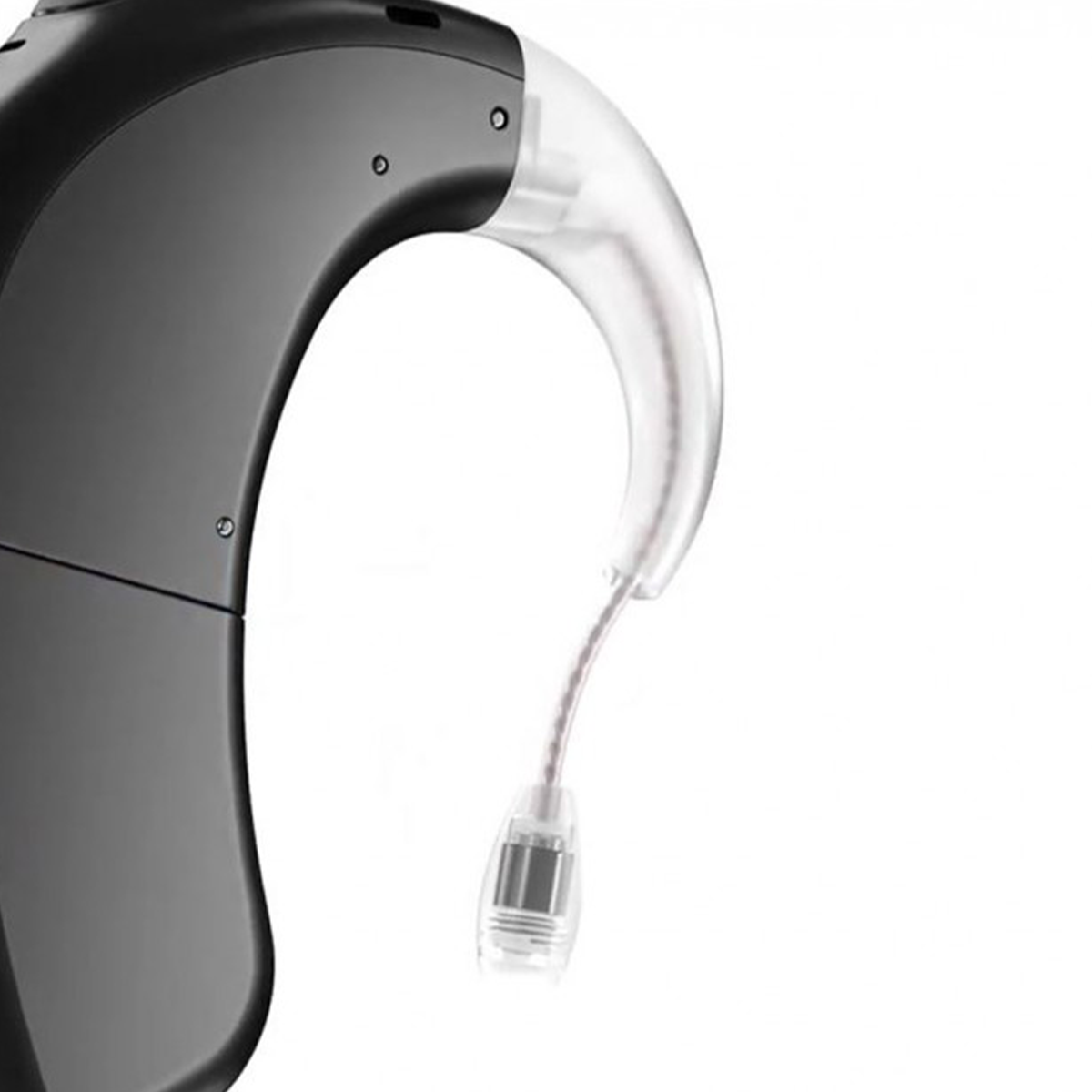
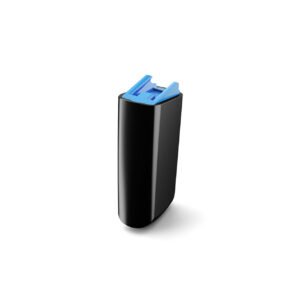
The Marvel CI T-Mic is a replacement T-Mic for the Advanced Bionics Naída CI M90 and Naída CI M30 sound processors. It holds the processor on your ear and places a small microphone at the entrance to your ear canal, so sound is picked up close to where your outer ear naturally collects it.
The T-Mic is one of the most handled parts of a Marvel processor. Its thin stem bends each time you put the processor on, and its microphone tip sits in a warm, sometimes damp place. When it fails, sound can turn weak, muffled or crackly. This page explains how to recognize a worn T-Mic, how to fit a new one, and how to make it last.



Marvel CI T-Mic at a glance
| Fits | Advanced Bionics Naída CI M90 and Naída CI M30 (Marvel) |
|---|---|
| Part | T-Mic with stem and microphone tip |
| Price | $125 |
| Stock | Currently out of stock |
| Dispatch | Within 24–48 hours once back in stock, tracked |
| Guarantee | Wrong or defective item replaced or refunded within 14 days |
The Marvel CI T-Mic is out of stock at the moment. Message us on WhatsApp and we will tell you as soon as it is back.
Will this Marvel CI T-Mic fit my processor?
| Processor | Fits? | What to order |
|---|---|---|
| Naída CI M90 (Marvel) | Yes | This T-Mic |
| Naída CI M30 (Marvel) | Yes | This T-Mic |
| Sky CI M90 (Marvel, for children) | Ask us first | Send a photo so we can confirm |
| Naída CI Q90 | No | Use the Naida CI Q90 T-Mic 2 |
| Naída CI Q70 | No | Use the Naida CI Q70 T-Mic 2 |
| Naída CI Q30 | No | Use the Naida CI Q30 T-Mic 2 |
| Advanced Bionics Harmony | No | Harmony uses its own Auria T-Mic |
Your processor model is printed on its body. Marvel processors have an M in the name: M90 or M30. Q-series processors use the T-Mic 2, which is a different part.
What a T-Mic does
Most processors pick up sound with microphones on the processor body, which sits behind the ear. A T-Mic adds a microphone at the front of the ear, at the opening of the ear canal.
That position lets the shape of your outer ear help with sound, in the same way it does for natural hearing. Many T-Mic users also find it easier to hold a phone to the ear or to wear ordinary headphones, because the microphone is where the speaker naturally sits.
Your clinic decides which microphones your processor uses, and in what mix. If you are moving from an ear hook to a T-Mic, or the other way round, ask them first so your program matches the part you wear.
Names you may see for this part
Shops and users describe this part in different ways: Marvel T-Mic, Naida M90 T-Mic, Marvel CI TMic or simply T-Mic for Marvel. They all mean the microphone that sits at the ear canal on a Marvel processor.
Be careful not to confuse it with the T-Mic 2 for the Naída CI Q series, or with the Auria T-Mic for the Advanced Bionics Harmony. Those look similar but fit different processors. If you are buying for someone else, ask them for a photo of the processor first, or send it to us and we will confirm the Marvel CI T-Mic is right.
Why keep a spare Marvel T-Mic
Marvel is the current Advanced Bionics platform, so the reason to keep a spare is not that the part is disappearing. It is that a T-Mic can fail without warning, and a broken microphone changes how you hear until it is replaced.
Users of earlier Naída CI processors report replacing their T-Mic during the life of a processor, alongside cables and batteries. The stem is thin, it bends daily, and it can snap if a processor is dropped or caught in clothing.
A spare Marvel CI T-Mic in your kit means a break during a trip or a busy week costs you a few minutes, not days of muffled sound while you wait for an appointment.
Signs your Marvel CI T-Mic needs replacing
- Sound is weaker or more muffled than usual, even with a fresh battery
- Crackling, rustling or static that comes and goes
- Sound changes when you touch or move the stem
- The stem is bent, kinked, cracked or snapped
- The microphone tip is blocked with wax, dirt or moisture that you cannot clear
- The tip no longer stays at the entrance to the ear canal
If sound is weak, check the simple things first: a charged battery, a clean microphone opening and a dry processor. If the problem stays and the T-Mic shows any damage, it is time for a new one.
How to fit the Marvel CI T-Mic
- Turn the processor off.
- Remove the old T-Mic or ear hook as shown in your user guide, holding the processor body firmly.
- Wipe the attachment point clean with a dry cloth.
- Line up the new T-Mic and press it on until it sits firmly.
- Put the processor on your ear and guide the microphone tip so it rests at the entrance to the ear canal, not inside it.
- Switch on and do a listening check, ideally in a quiet room and then with some background noise.
Do not bend the stem to make it fit. If the tip will not sit comfortably, take a photo and message us, or ask your clinic to check the fit.
Troubleshooting your T-Mic
| What you notice | Likely cause | What to do |
|---|---|---|
| Muffled sound | Blocked microphone tip | Gently clear the tip with a dry brush; replace the T-Mic if it stays blocked |
| Crackle when you move your head | Damaged stem or loose fit | Refit the T-Mic firmly; replace it if the crackle continues |
| No change when you switch to the T-Mic | Program not set to use it | Ask your clinic to check your microphone settings |
| Tip keeps falling out of position | Stem bent or wrong fit | Replace the T-Mic and avoid bending it |
| Sound worse after rain or exercise | Moisture in the microphone | Dry the processor overnight before use |
A weekly check for your Marvel CI T-Mic
Two minutes once a week catches most T-Mic problems before they affect your hearing. Do it at the same time each week, for example when you charge your batteries on a Sunday night.
- Look along the stem in good light for kinks, cracks or white stress marks.
- Check the microphone tip for wax, dust or moisture.
- Brush the tip gently with a soft, dry brush.
- Press lightly where the T-Mic joins the processor to make sure it sits firmly.
- Put the processor on and listen in a quiet room. Speech should sound as clear as usual.
Note anything that changes from week to week. A stem that is starting to crack, or a tip that keeps blocking, tells you to order a spare Marvel CI T-Mic before the first one fails completely.
How to make your Marvel CI T-Mic last longer
- Clean the microphone tip gently with a soft, dry brush. Do not push anything into the opening.
- Never bend the stem to change its shape.
- Take the processor off for showers, swimming and hair spray.
- Store the processor in a hard case so the stem is not crushed.
- Dry the processor every night in an electric processor dryer, especially in humid weather.
- Hold the processor body, not the T-Mic, when you put it on and take it off.
A T-Mic is a wear part. With daily use, it will need replacing from time to time, so it is worth having a second one ready.
T-Mic or ear hook for your Marvel processor
The T-Mic and the ear hook attach at the same point on the processor. You wear one or the other.
- Choose the T-Mic if your clinic set your program to use it, or if you like the microphone at the ear canal for phone calls and headphones.
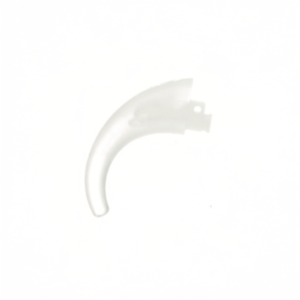
- Choose the Marvel CI ear hook (M-Hook) if you rely on the processor microphones and want a simple hook.
If your Marvel CI T-Mic breaks while it is out of stock, a spare ear hook will keep the processor on your ear. Your sound may change, because the microphone setup is different, so speak to your clinic if you plan to wear the hook for more than a few days.
Is a replacement T-Mic safe for my Marvel processor?
Yes. This is a third-party replacement, not a part made by Advanced Bionics. It is made to the same fitting and specification as the T-Mic it replaces, and we check each one before dispatch.
A T-Mic does not store your hearing program. The processor decides how it uses the microphone, based on the settings your clinic chose. If your T-Mic arrives defective, or it is the wrong item, we replace it or refund you.
If sound is still poor after fitting a new T-Mic, please contact your clinic. The cause may be elsewhere in the processor.
Shipping, payment and returns for the Marvel CI T-Mic
Every Marvel CI T-Mic order is packed and dispatched within 24–48 hours with tracking. Delivery usually takes 12–22 business days worldwide, and duties are handled for you on most routes, so there is nothing extra to pay at the door. Shipping is free on orders over $250, which is easy to reach if you add a spare cable or charger.
Payment runs through a secure payment gateway with all major cards. If we send the wrong item, or the part arrives defective or damaged, message us within 14 days with a short video. We replace it or refund you, and we cover the return shipping. Change-of-mind returns are not accepted on hygiene-sensitive hearing parts. Full details are in our return policy.
Other Naida CI M90 and M30 parts you may need
Keep your Naida CI M90 and M30 working with these matching spares:
- Marvel CI ear hook (M-Hook) – a simple hook if you do not use a T-Mic
- AB Marvel rechargeable battery – a spare battery for long days
- Marvel battery charger – overnight charging for your batteries
- Electric dryer for processors – keeps moisture out of the microphone
Marvel CI T-Mic FAQ
When will the Marvel CI T-Mic be back in stock?
We cannot give a date yet. Message us on WhatsApp and we will let you know as soon as it is available.
Does it fit both the Naída CI M90 and M30?
Yes. It fits both Marvel processors.
Can I use a Q90 T-Mic 2 on my Marvel processor?
No. The T-Mic 2 is for the Naída CI Q30, Q70 and Q90. Marvel processors need this T-Mic.
Does the T-Mic go inside my ear canal?
No. The tip rests at the entrance to the ear canal, not inside it.
My sound is muffled. Is the T-Mic broken?
Not always. Check the battery, clean the microphone tip and dry the processor first. If sound stays muffled, replace the T-Mic.
Do I need my clinic to fit it?
You can fit it yourself. If you are switching from an ear hook to a T-Mic, ask your clinic to confirm your microphone settings.
Can I wear headphones with a T-Mic?
Many users find it easier, because the microphone sits where a headphone speaker naturally rests.
Can I use an ear hook while I wait?
Yes. An ear hook keeps the processor on your ear, but your sound may change. Ask your clinic for advice.
Questions about your Naida CI M90 and M30? Message us on WhatsApp (+1 520 473 4179) with a photo of your processor and we confirm the right part before you pay.




cauabarbosa –
Amazing natural sound quality, works perfectly!
algernonlanteigne –
Qualité sonore naturelle et parfaite, s’adapte très bien !