






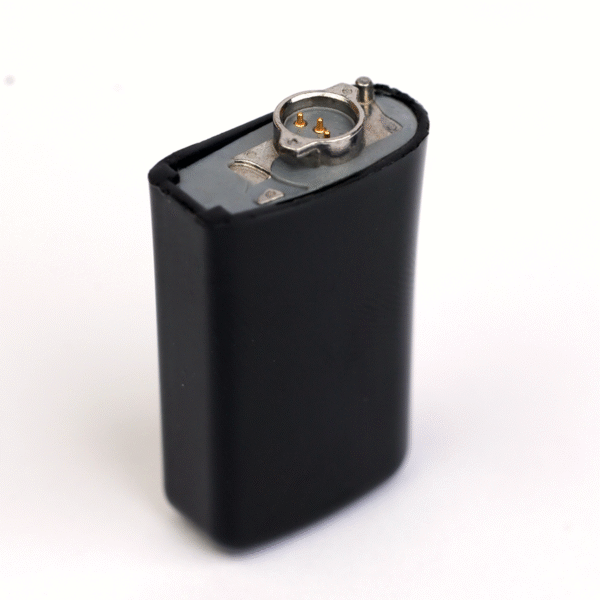


The Cochlear N5 Battery is a standard-size rechargeable replacement module for the Cochlear Nucleus 5 sound processor, covering the CP810 and the CP802 behind-the-ear version. It is black, it carries reference number Z407011, and it clicks onto the base of the processor exactly where your tired battery sits now.
The Nucleus 5 first reached users well over a decade ago, and plenty of people still wear one every day or keep one as a trusted backup. What usually gives up first is the battery. This module brings a working processor back to a full day of sound without waiting for an upgrade. We dispatch within 24–48 hours worldwide and check a photo of your processor on WhatsApp before you pay.




Cochlear N5 Battery at a glance
| Fits | Cochlear Nucleus 5, CP810 and CP802 |
|---|---|
| Battery type | Standard rechargeable module |
| Reference number | Z407011 |
| Colour | Black |
| Price | $159 |
| Charges in | A Nucleus 5 battery charger, such as our dual charger with power bank |
| Condition | New, third-party replacement part |
| Dispatch | 24–48 hours, tracked |
| Guarantee | 14 days on wrong or defective items |
Each order contains one module. If your processor is your only way of hearing, consider two, so that one charges overnight while the other is on your ear. With a processor of this age, a spare battery is often the cheapest insurance you can buy.
Will this Cochlear N5 Battery fit my processor?
| Processor | Fits? | Pick instead |
|---|---|---|
| Nucleus 5 CP810 | Yes | This battery |
| Nucleus 5 CP802 (behind-the-ear) | Yes | This battery |
| Nucleus 6 CP910 / CP920 | No | Our Nucleus 6 rechargeable battery |
| Nucleus 7 CP1000 | No | Our Nucleus 7 standard battery |
| Nucleus Freedom | No | Our Nucleus Freedom rechargeable battery |
The Nucleus 5 model code is printed on the processor body, usually CP810. The CP802 is the behind-the-ear variant in the same family. You can also find the code on the box your processor came in or on your clinic paperwork. When in doubt, a clear photo is enough for us to identify it.
Many people call this part a CP810 battery or a Nucleus 5 battery when they search. All of these describe the same processor family. If your old module shows Z407011 on its label, the Cochlear N5 Battery is the match you need.
Keeping an older Nucleus 5 running
Cochlear has released three newer processor generations since the Nucleus 5, so parts for it get less shelf space each year. Users describe being told by clinics that nothing is left in stock, or that the only answer is a full processor upgrade. For many families that upgrade is not affordable right now, or simply not needed while the old processor still sounds good.
A Nucleus 5 that powers on, connects to the implant and gives you clear sound is worth keeping. Most of what fails on an older processor are the wear parts: batteries, the coil cable and the microphone covers. Replace those, and many users find their processor carries on for years. The Cochlear N5 Battery is usually the first of those parts to need attention.
A practical way to plan is to list the parts your processor depends on and note how old each one is. If the battery, cable and covers are all several years old, replacing them together saves on shipping and gives you a processor that behaves like it did when it was newer. Shipping is free over $250, which a battery, a cable and a pack of covers come close to.
Signs your Nucleus 5 battery needs replacing
- A full charge no longer gets you through the day, and you have started carrying a second battery just to make it to dinner.
- The processor gives low-battery beeps shortly after you fit a freshly charged module.
- The battery dies with no warning in the middle of a conversation.
- The module is loose, rattles, or needs to be pushed back into place.
- The charger behaves differently with this module than with your other one.
- You can see cracks, swelling or residue on the contacts.
Test by swapping. If the fault follows the old battery onto a different processor or charger slot, the battery is finished. If it stays with the processor, the cable or processor may be the cause, and we can help you work out which.
Remember that rechargeable modules fade a little at a time. Many users only notice once they are already carrying a backup everywhere. If you have started planning your day around battery life, it is time for a fresh module rather than another workaround.
How to fit and charge the Cochlear N5 Battery
- Take the processor off and hold it upright with the battery at the bottom.
- Remove the old module as shown in your Nucleus 5 user guide, sliding it straight off rather than levering it sideways.
- Look at the metal contacts. Clean off dust, sweat or residue with a soft, dry cloth.
- Line up the new module and slide it on until it locks with a firm click.
- Put the module in your Nucleus 5 charger and charge it fully before first use.
- Fit it again, switch on and confirm your usual start-up signal and sound.
If the module does not slide on smoothly, stop and check the model code. A battery from a different Nucleus generation will not lock onto the CP810, and forcing it can bend the contacts.
Troubleshooting a Nucleus 5 battery
| Symptom | Likely cause | Fix to try |
|---|---|---|
| Charger shows no sign of charging | Charger unplugged, or module not seated | Check the power cable, then reseat the battery until it sits flat. |
| Light flashes or changes colour unexpectedly | Dirty contacts, or a worn module | Clean contacts on battery and charger. Try your second module to compare. |
| Charge lasts only a few hours | Aged cells after long daily use | Replace the battery. |
| Processor restarts when you move your head | Loose battery, or a worn coil cable | Reseat the battery. If it continues, check the Nucleus 5 coil cable. |
| No sound but the battery is charged | Coil off the head, or a broken cable | Check the coil and cable before replacing the battery. |
If a new Cochlear N5 Battery still causes trouble after these checks, message us within 14 days with a short video.
If you have two chargers or two charging slots, try the same battery in each. A battery that charges in one slot but not the other points to the charger, not the module. In that case our Nucleus 5 dual battery charger with power bank may be the part you need instead.
How to make your Cochlear N5 Battery last longer
- Charge at room temperature. Batteries age faster when they are charged hot.
- Avoid leaving the processor in a car, on a windowsill or near a heater.
- Dry the processor overnight in a drying box such as our electric dryer, especially if you sweat during the day.
- Clean the contacts every week with a dry cloth.
- Rotate two modules so the load is shared.
- Store a spare partly charged, and top it up every few weeks.
With daily use, a rechargeable module typically needs replacing after about a year. Rotating a second Cochlear N5 Battery with your current one helps both last longer.
Is a replacement battery safe for my Nucleus 5?
This is a third-party compatible battery, made to the same size, connector and specification as the module it replaces. It is not made by Cochlear, and we never claim to be Cochlear or an authorised dealer. We are an independent supplier of compatible spares, and we say so plainly.
Some users ask whether a non-Cochlear battery can harm their processor. We check every Cochlear N5 Battery before dispatch to confirm that it locks into place, charges and powers a processor normally. If yours does not, stop using it and contact us. We replace it or refund you, and we cover the cost of sending it back.
Users also ask about buying used batteries on auction sites. A used module has an unknown number of charge cycles behind it, and there is usually no way to return it if it fades within weeks. A new module with a 14-day guarantee removes that guesswork, and you know exactly what you are getting from the first charge.
Moving from Nucleus 5 to Nucleus 6 later
If you plan to move to a Nucleus 6 later, users report that some Nucleus 5 batteries and coils can be used on the Nucleus 6. That means a spare Cochlear N5 Battery may stay useful after an upgrade. We cannot promise this for every combination, so send a photo of both processors and we check.
The Nucleus 7 and Nucleus 8 use a different battery design, so Nucleus 5 batteries do not carry over to them. If an upgrade to one of those is close, buy just enough Nucleus 5 parts to bridge the gap.
Shipping, payment and returns for the Cochlear N5 Battery
Every Cochlear N5 Battery order is packed and dispatched within 24–48 hours with tracking. Delivery usually takes 12–22 business days worldwide, and duties are handled for you on most routes, so there is nothing extra to pay at the door. Shipping is free on orders over $250, which is easy to reach if you add a spare cable or charger.
Payment runs through a secure payment gateway with all major cards. If we send the wrong item, or the part arrives defective or damaged, message us within 14 days with a short video. We replace it or refund you, and we cover the return shipping. Change-of-mind returns are not accepted on hygiene-sensitive hearing parts. Full details are in our return policy.
Other Nucleus 5 parts you may need
Keep your Nucleus 5 working with these matching spares:
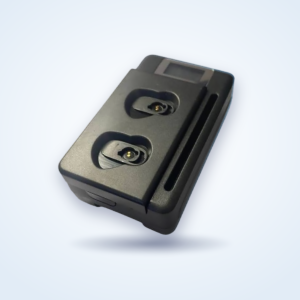
- Cochlear Nucleus 5 dual battery charger with power bank – charges two N5 modules at home or away
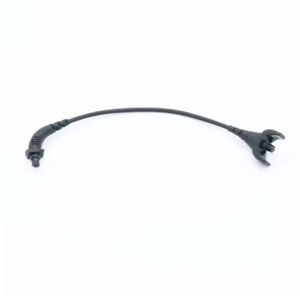
- Cochlear Nucleus 5 coil cable – for sound that cuts in and out or a frayed cable
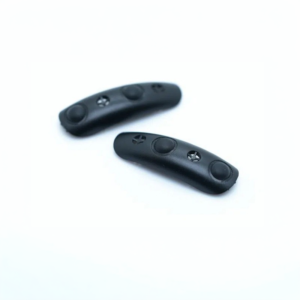
- Cochlear Nucleus 5 microphone covers – fresh covers for clearer sound
- Electric dryer for cochlear implant processors – overnight drying for processor and batteries
Cochlear N5 Battery FAQ
Does this battery fit the CP802 as well as the CP810?
Yes. The Cochlear N5 Battery fits both Nucleus 5 versions, the CP810 and the CP802 behind-the-ear model.
What does Z407011 mean?
It is the reference number listed for this standard Nucleus 5 module. Match it with the label on your old battery, or send us a photo.
Will it fit my Nucleus 6?
We list it for the Nucleus 5. Users report some N5 batteries work on the N6, but for a guaranteed fit choose our Nucleus 6 module, or ask us to check first.
Can I charge it in my old charger?
Yes, any working Nucleus 5 battery charger. If your charger is failing too, our dual charger with power bank charges two modules.
How long does it last per charge?
That depends on your program and how you use the processor, so we do not give an hour figure.
Do I need my clinic to fit it?
No. A battery is a direct swap and needs no programming.
Is it new or refurbished?
Every Cochlear N5 Battery we sell is new.
My processor is very old. Is it worth buying a battery?
If the processor still gives you clear sound, yes. A new Cochlear N5 Battery is far cheaper than an upgrade and often brings an old processor back to a full day.
What happens if it arrives faulty?
Message us within 14 days with a short video. We replace it or refund you, and we cover return shipping.
Can I buy a spare to keep with a backup processor?
Yes. Many users keep an older Nucleus 5 as a backup. Charge the spare fully, store it partly charged in a dry case, and top it up every few weeks so it is ready when you need it.
Questions about your Nucleus 5? Message us on WhatsApp (+1 520 473 4179) with a photo of your processor and we confirm the right part before you pay.




marcusclee –
battery lasts really long with my N5 Feels good and works without any issues Happy I got it with free shipping to Canada