






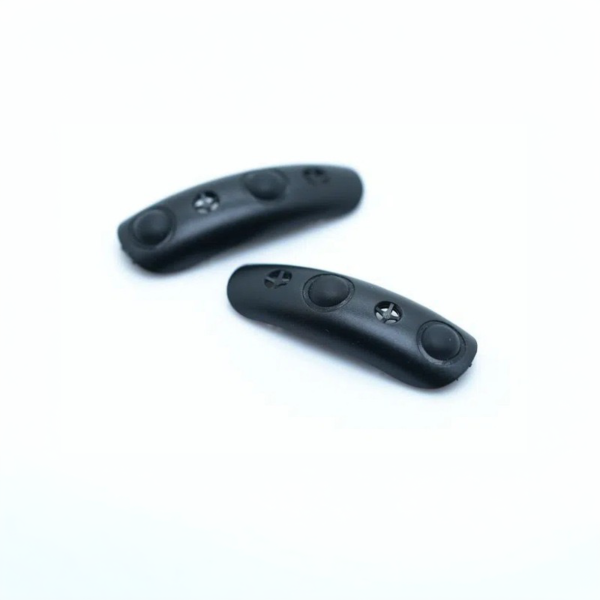
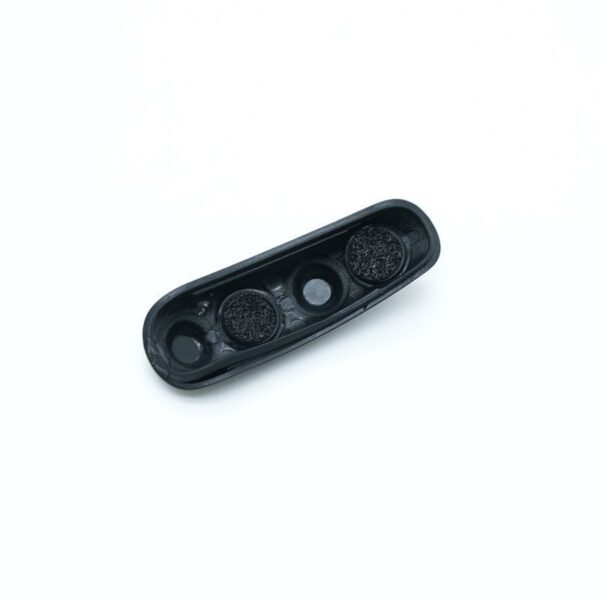
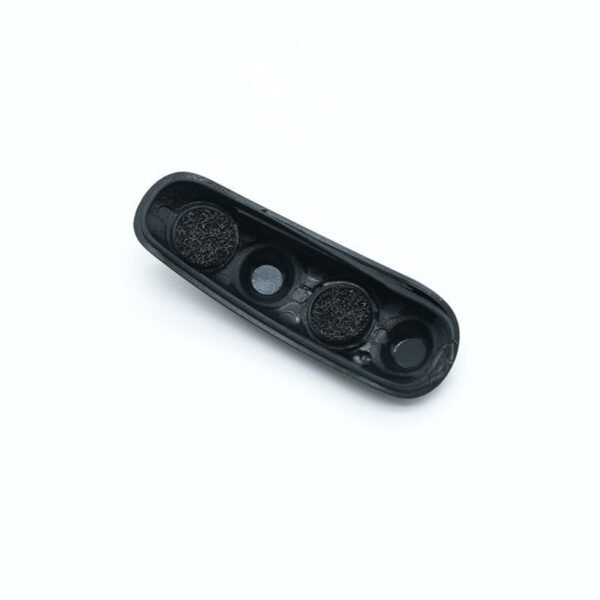
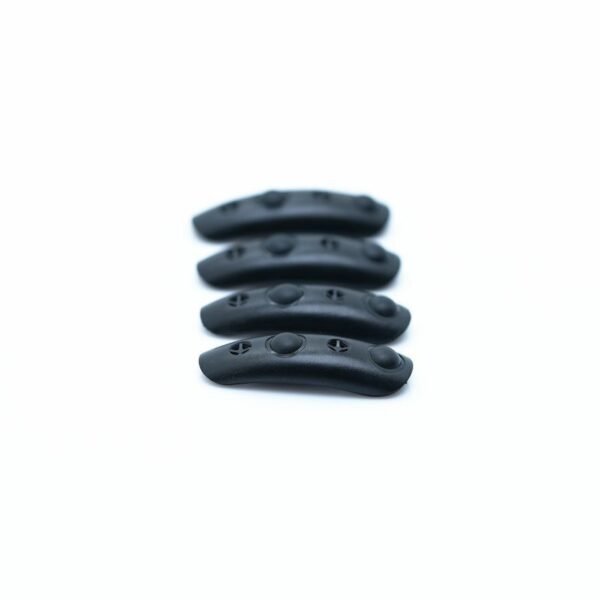
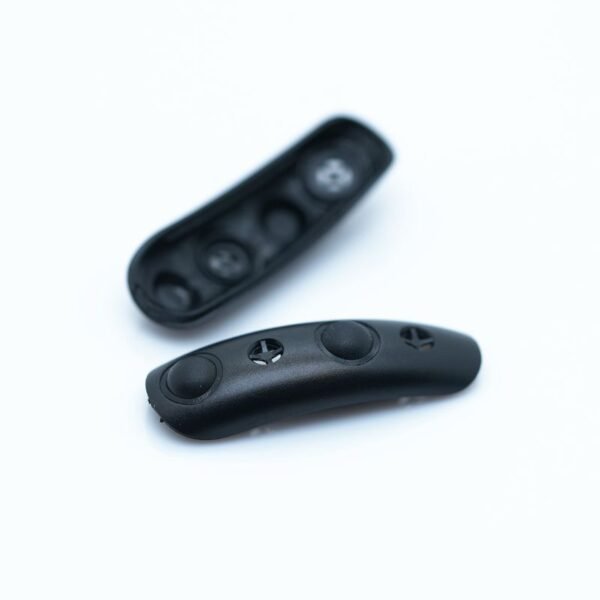
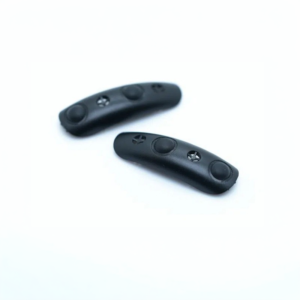
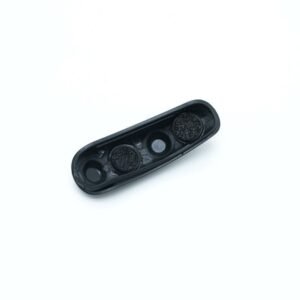
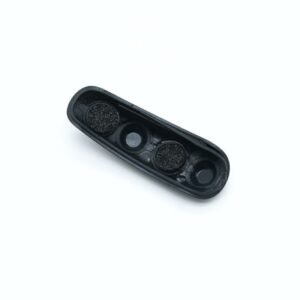
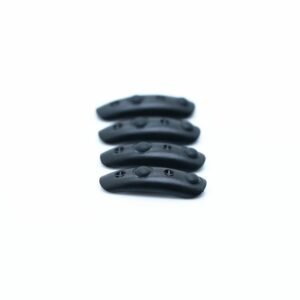
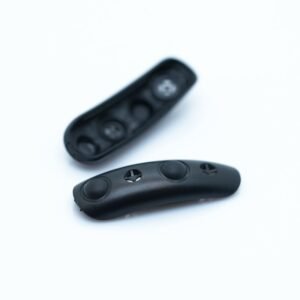
The Cochlear CP802 Microphone Cover is a small replacement cover that sits over the microphone openings of a Nucleus 5 sound processor, both the CP802 and the CP810. It keeps dust, skin oils, hair spray and moisture out of the microphones while letting sound through. When it clogs, everything you hear can turn dull and distant, even though the processor is working perfectly.
These covers are one of the cheapest parts of a cochlear implant system and one of the easiest to forget. This page explains how to tell when yours need changing, how to swap them without damaging the microphones, how to check the fit for your model, and how to make each set last.
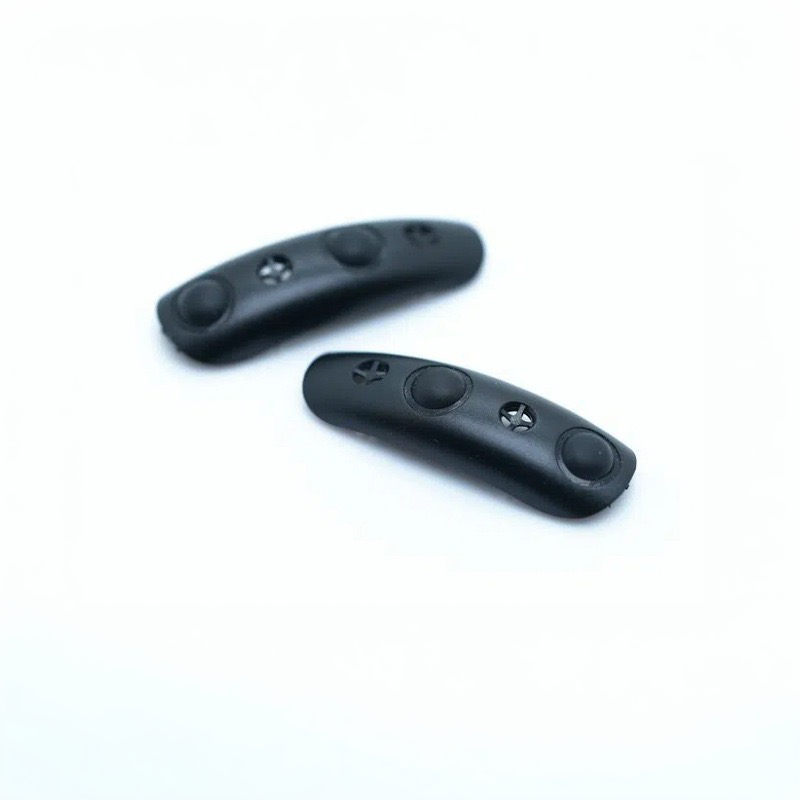



Cochlear CP802 Microphone Cover at a glance
| Fits | Cochlear Nucleus 5 sound processors CP802 and CP810 |
|---|---|
| What it does | Shields the processor microphones from dirt and moisture |
| Price | $20 |
| Contents | As shown in the product photos; ask on WhatsApp if you want to confirm the count |
| Dispatch | Within 24–48 hours |
| Guarantee | Replaced or refunded if they arrive defective or are the wrong item |
Although the name mentions the CP802, the same Cochlear CP802 Microphone Cover fits the CP810, as both belong to the Nucleus 5 CP800 series. If you wear a Nucleus 6 or Nucleus 7, use the covers made for those processors instead; they are listed in the table below.
Will this Cochlear CP802 Microphone Cover fit my processor?
| Your processor | Does it fit? | What to choose |
|---|---|---|
| Nucleus 5 CP802 | Yes | These covers |
| Nucleus 5 CP810 | Yes | These covers |
| Nucleus 6 (CP910 / CP920) | No | Our Nucleus 6 microphone covers with removal tool |
| Nucleus 7 (CP1000) | No | Our Nucleus 7 microphone covers |
Your model name is printed on the processor body and listed in your clinic documents. Nucleus 5 wearers often call it the N5. If you see CP802 or CP810, these are the right covers.
Microphone covers are shaped to each processor family, so a cover from another generation will not sit flush. A cover that does not seat properly leaves a gap for dirt and can fall out, which defeats its purpose.
If you have just inherited or bought a used N5 processor, fit a new N5 mic cover on each microphone before you judge how it sounds. Old covers on a second-hand processor are often blocked, and they can make a working unit seem faulty.
Why fresh covers matter on a Nucleus 5
The microphones are the ears of your processor. On an N5 that has been worn every day for years, they have already been exposed to a lot of dust, sweat and weather. Fresh covers are the cheapest way to protect them for the years still ahead.
A worn or clogged Cochlear CP802 Microphone Cover also changes what you hear. Wearers often blame the processor, the program or even their implant when speech becomes harder to follow, yet the fix can be a cover costing a few dollars. Changing the covers first rules out the simplest cause before you book a clinic visit.
Covers also matter for the processor settings that rely on both microphones working together. When one cover is more clogged than the other, the balance between the two microphones shifts, and features that help you focus on speech in front of you may not work as well as they should.
For parents of children with an N5, covers are worth checking more often. Play, sand, food and sun cream all find their way onto a processor, and a child may not be able to say that sound has become dull.
Signs your Nucleus 5 microphone covers need changing
- Voices sound muffled, quiet or far away, as if through a wall.
- Speech in noisy places is harder to follow than it used to be.
- Sound seems dull after a day in the rain, at the gym or in hot weather.
- The covers look grey, discoloured or have visible fluff or debris.
- One cover is missing, loose or sits crooked.
- Your own voice sounds different from usual.
If several of these apply, swap in a new Cochlear CP802 Microphone Cover and do a listening check. Many wearers are surprised by how much brighter and clearer sound becomes once the covers are clean.
Wearers who live in dusty, humid or coastal places usually notice clogged covers sooner. The same goes for anyone who works outdoors, in a workshop or in a kitchen, where fine particles and steam settle on the processor through the day.
How to replace your Cochlear CP802 Microphone Cover
- Switch off the processor and remove it from your ear.
- Hold it over a clean, light-coloured surface so you can see small parts.
- Lift out the old cover carefully with a fingernail or a soft plastic tool; never use a pin, needle or anything sharp.
- Check the microphone opening and brush away loose dust with a soft, dry brush.
- Place the new cover over the opening with the correct side facing out.
- Press gently until it sits flush with the processor surface.
- Repeat for the second microphone opening.
- Switch on and do a listening check, speaking and listening in a quiet room.
Do not push anything into the microphone opening itself. The cover sits on top; the microphone underneath is delicate.
Fit both covers at the same time, even if only one looks dirty. Two fresh N5 mic covers keep the two microphones balanced, which helps speech sound natural.
Nucleus 5 microphone cover troubleshooting
| What you notice | Likely cause | What to do |
|---|---|---|
| Sound still muffled after changing covers | Cover not seated flush, or wrong program | Press the cover in evenly; check your program setting |
| Cover keeps falling out | Wrong cover for the processor, or opening damaged | Confirm your model is CP802 or CP810; ask your clinic to inspect it |
| Sound got worse after a wet day | Moisture trapped under the cover | Dry the processor overnight, then fit a fresh cover |
| Whistling or scratching noise | Cover partly lifted or debris under it | Remove, clean the area, fit a new cover |
| No sound at all | Not a cover issue | Check the battery, then the coil cable |
A Cochlear CP802 Microphone Cover affects sound quality, not whether sound works at all. If there is total silence, look at the battery and cable first.
How to make your Cochlear CP802 Microphone Cover last longer
- Apply hair spray, sunscreen and perfume before putting the processor on.
- Take the processor off before swimming, showering or heavy exercise.
- Dry it overnight in an electric dryer, especially in summer.
- Wipe the processor gently with a dry cloth, avoiding pressing on the covers.
- Store it in its case rather than loose in a pocket or bag.
- Keep a spare set at home so you can swap as soon as sound turns dull.
Microphone covers are a routine consumable. Many clinics suggest changing them every few months, or sooner if they look dirty or sound seems muffled.
Keep a note of the date each time you change covers, for example in your phone calendar. It makes it easy to spot whether your covers clog faster in certain seasons, and helps you reorder before you run out.
Is a replacement Cochlear CP802 Microphone Cover safe for my CP810 or CP802?
These are third-party compatible covers, not a product made by Cochlear. They are made to the same size and shape as the covers they replace, so they sit over the Nucleus 5 microphone openings in the usual way and let sound pass through.
Every pack is checked before dispatch. If the covers arrive defective, do not fit, or are the wrong item, we replace them or refund you. If you want to double-check first, send a photo of your processor on WhatsApp.
A fresh Cochlear CP802 Microphone Cover does not change any processor settings, and there is nothing to program after fitting it.
A quick weekly microphone check for N5 wearers
A two-minute routine catches cover problems early, long before they affect conversations.
- Look at both covers in good light. Grey, blocked or crooked covers need changing.
- Switch on and listen to a familiar sound, such as a radio at low volume or a running tap.
- Compare it with how it sounded last week. A duller tone is an early sign.
- If you wear two processors, swap them over for a moment to compare sides.
If one side sounds dull and the covers look fine, fit a fresh Cochlear CP802 Microphone Cover anyway and listen again. If the dull sound stays, mention it to your clinic, as the microphone itself may need checking.
Shipping, payment and returns for the Cochlear CP802 Microphone Cover
Every Cochlear CP802 Microphone Cover order is packed and dispatched within 24–48 hours with tracking. Delivery usually takes 12–22 business days worldwide, and duties are handled for you on most routes, so there is nothing extra to pay at the door. Shipping is free on orders over $250, which is easy to reach if you add a spare cable or charger.
Payment runs through a secure payment gateway with all major cards. If we send the wrong item, or the part arrives defective or damaged, message us within 14 days with a short video. We replace it or refund you, and we cover the return shipping. Change-of-mind returns are not accepted on hygiene-sensitive hearing parts. Full details are in our return policy.
Other Nucleus 5 parts you may need
Keep your Nucleus 5 working with these matching spares:
- Nucleus 5 rechargeable battery – Battery for the CP810 and CP802
- Nucleus 5 charger – Charger for N5 batteries
- Nucleus 5 coil cable – 8, 11 and 28 cm cables
- Electric dryer – Overnight drying to protect the microphones
Cochlear CP802 Microphone Cover FAQ
Do these covers fit the CP810 as well as the CP802?
Yes. Both are Nucleus 5 CP800 series processors and take the same covers.
How do I know my covers are blocked?
Sound turns muffled, quiet or distant, and speech in noise gets harder. Dirty or discoloured covers are a clear sign.
How often should I change Nucleus 5 microphone covers?
Many clinics suggest every few months, or sooner if they look dirty or sound becomes dull.
Can I clean and reuse the old covers?
Cleaning rarely clears the fine mesh fully, and covers are inexpensive, so replacing them is the better option.
Will Nucleus 6 covers fit my Nucleus 5?
No. Each processor family has its own cover shape. Use covers listed for the CP802 and CP810.
Can I damage the microphone while changing covers?
Only if you push something sharp into the opening. Lift the old cover with a fingernail or soft plastic tool and press the new one gently.
My processor is silent. Will new covers help?
Probably not. Covers affect clarity, not whether sound works. Check the battery and coil cable first.
How many covers are in the pack?
The contents are shown in the product photos. Message us on WhatsApp if you want to confirm before ordering.
Should I change both covers at once?
Yes. Changing both keeps the two microphones balanced, so sound stays natural and directional settings work as intended.
Do you ship Nucleus 5 microphone covers worldwide?
Yes. We dispatch within 24–48 hours, and delivery usually takes 12–22 business days.
Can I buy a single Cochlear CP802 Microphone Cover?
The covers are sold as the pack shown in the photos. Message us on WhatsApp if you have a special request.
Questions about your Nucleus 5? Message us on WhatsApp (+1 520 473 4179) with a photo of your processor and we confirm the right part before you pay.





Reviews
There are no reviews yet.