






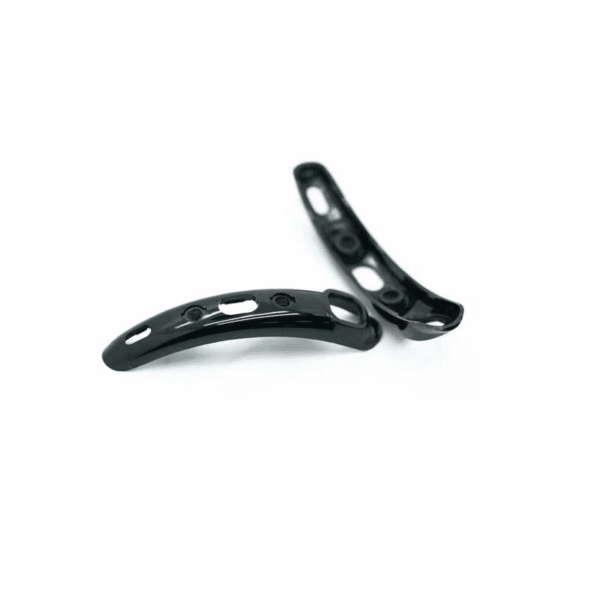
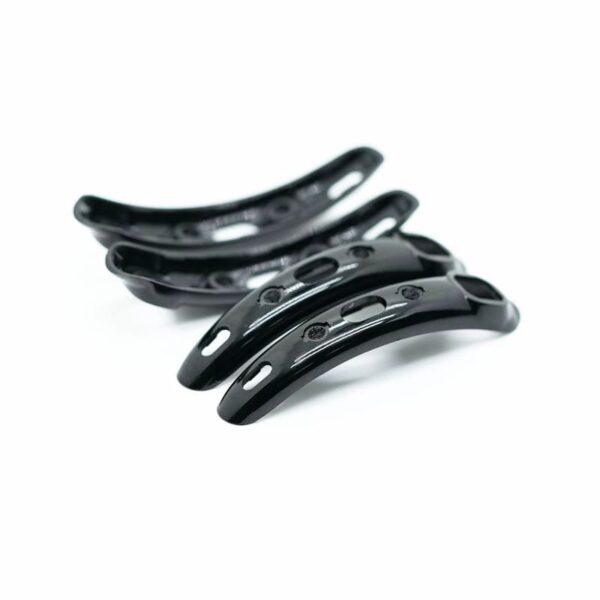
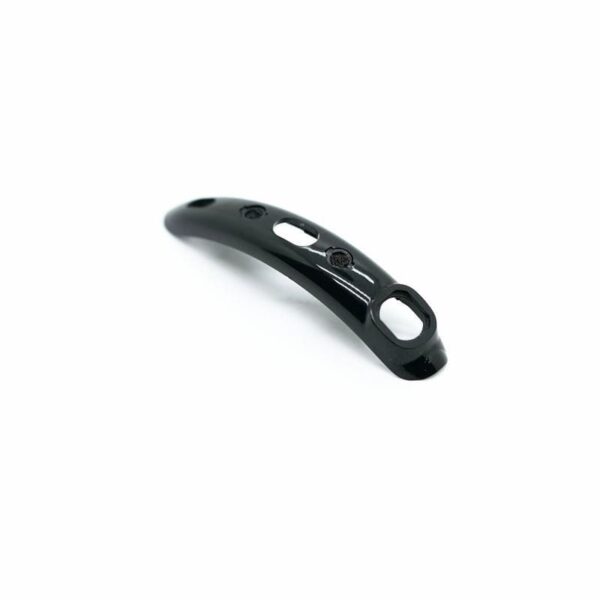
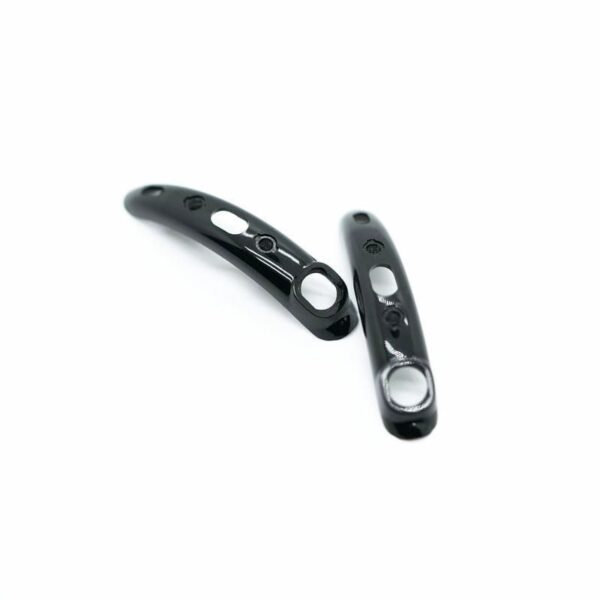
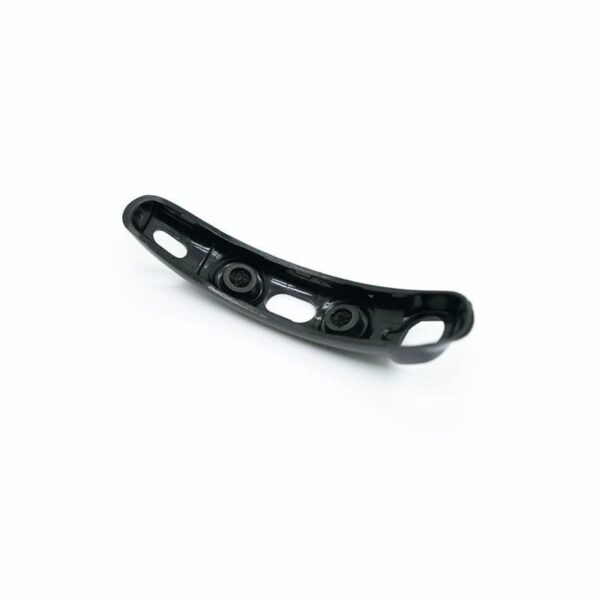
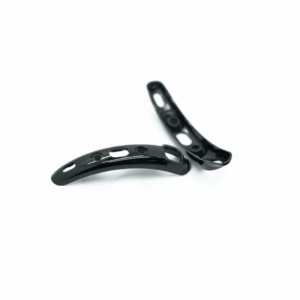
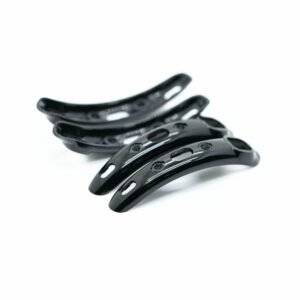
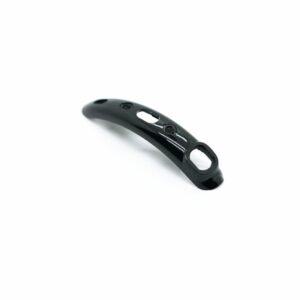
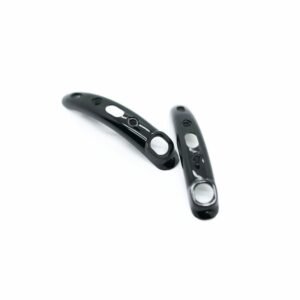
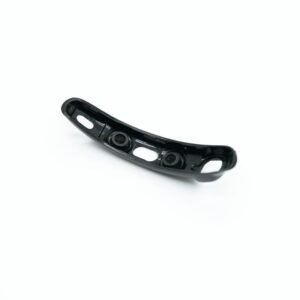
The Cochlear Nucleus 7 Microphone Protective Cover is a replacement cover for the microphones of the Nucleus 7 (CP1000) sound processor, matching reference P729647. It sits over each microphone opening and stops dust, sweat, hair products and moisture from reaching the microphones, while letting sound through clearly. Clogged covers are one of the most common reasons an N7 starts to sound muffled.
Microphone covers are the small consumable every Nucleus 7 wearer changes regularly, and many N7 users like to keep a reserve at home. Below you will find the fit check, why Nucleus 8 covers are not a substitute, the signs that covers need changing, fitting steps and care advice.
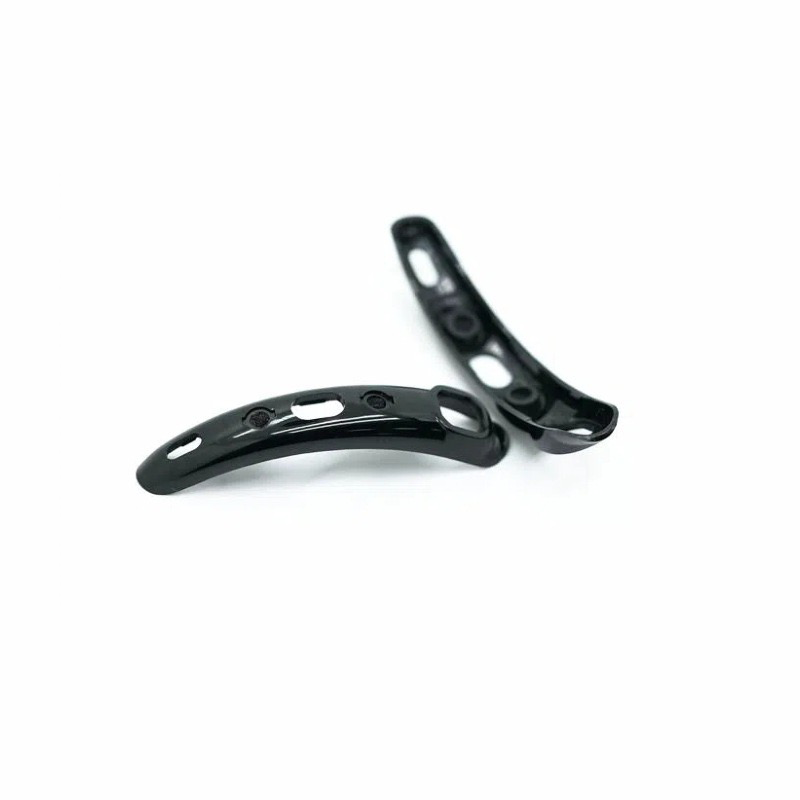



Cochlear Nucleus 7 Microphone Protective Cover at a glance
| Fits | Cochlear Nucleus 7 sound processor (CP1000) |
|---|---|
| Reference part number | P729647 |
| What it does | Shields the microphones from dirt, sweat and moisture |
| Contents | As shown in the product photos; ask on WhatsApp to confirm the count |
| Price | $35 (regular price $38) |
| Dispatch | Within 24–48 hours |
| Guarantee | Replaced or refunded if they arrive defective or are the wrong item |
P729647 is the Cochlear reference number for the Nucleus 7 microphone cover. We list it so you can match this Cochlear Nucleus 7 Microphone Protective Cover against your old packaging or clinic notes; our covers are a compatible replacement for that part.
Will this Cochlear Nucleus 7 Microphone Protective Cover fit my processor?
| Your processor | Does it fit? | What to choose |
|---|---|---|
| Nucleus 7 (CP1000) | Yes | These covers |
| Nucleus 8 (CP1110) | No | Users report N7 and N8 covers are not interchangeable |
| Nucleus 6 (CP910 / CP920) | No | Our Nucleus 6 microphone covers with removal tool |
| Nucleus 5 (CP810 / CP802) | No | Our Nucleus 5 microphone covers |
Look for CP1000 on the processor or in your clinic paperwork; that is the Nucleus 7. Wearers often call it the N7.
Every processor family has covers shaped for its own microphone openings. A cover that is the wrong shape will not sit flush, lets dirt in around the edge and can fall out during the day.
If you have bought a used N7 or been given a spare processor, fit a fresh Cochlear Nucleus 7 Microphone Protective Cover before deciding how it sounds. Blocked covers on a second-hand processor can make a perfectly good unit seem weak.
Why Nucleus 7 wearers keep spare microphone covers
Covers sit over the microphones and catch sweat, dust and skin oils. Once the fine mesh clogs, sound goes dull and no amount of cleaning brings it fully back, so most N7 wearers change them on a schedule rather than waiting for a problem.
A natural question is whether Nucleus 8 covers fit the Nucleus 7. When one wearer asked this on a forum, another replied that they do not. That leaves N7 wearers needing a dedicated Cochlear Nucleus 7 Microphone Protective Cover, which is why we keep them in stock.
Many N7 wearers are happy with their processor and in no hurry to upgrade. Small consumables like covers are what keep an N7 sounding its best.
Signs your N7 microphone covers need changing
- Voices sound muffled or distant, as if people are behind a door.
- Conversations in cafes or cars have become harder to follow.
- Streaming from your phone sounds fine, but live voices sound dull.
- Sound seems flat after a hot day, sport or rain.
- The covers look grey, discoloured or have fluff caught in them.
- A cover is missing or sits unevenly.
The streaming clue is useful: streamed audio does not pass through the microphones, so if it sounds clear while live sound is dull, the microphones or their covers are the likely cause. A fresh Cochlear Nucleus 7 Microphone Protective Cover is the first thing to try.
Clogging tends to build up slowly, so the change is easy to miss. Wearers who live somewhere dusty, humid or by the sea, or who work in kitchens, workshops or outdoors, usually need to change their N7 mic cover more often than others.
How to fit your Cochlear Nucleus 7 Microphone Protective Cover
- Switch the CP1000 off and take it off your ear.
- Work over a clean towel or tray so a small cover cannot roll away.
- Lift out the old cover gently with a fingernail or a soft plastic tool; never use a pin or anything sharp.
- Brush away loose dust around the opening with a soft, dry brush.
- Line up the new cover with the microphone opening, correct side out.
- Press gently and evenly until it sits flush.
- Repeat for the other microphone opening.
- Switch on and do a listening check, then compare live speech with streamed audio.
Change both covers at the same time so the two microphones stay balanced.
If a cover is stuck, work around its edge gently rather than pressing hard in one place. Forcing it can push the old cover or loose dirt further into the opening.
Nucleus 7 microphone cover troubleshooting
| What you notice | Likely cause | What to do |
|---|---|---|
| Live sound still dull after changing | Cover not fully seated | Press around the edge until it sits flush |
| Streaming clear, live sound muffled | Clogged covers or microphones | Fit new covers; if it persists, ask your clinic to check the microphones |
| Cover falls out | Wrong cover, or not pressed home | Confirm your processor is a CP1000 and refit |
| Scratchy or rustling noise | Debris trapped under a cover | Remove, brush the area, fit a fresh cover |
| No sound at all | Not a cover problem | Check the N7 battery and the N7 coil |
A Cochlear Nucleus 7 Microphone Protective Cover affects clarity, not whether sound is present. Total silence points to the battery, the coil or the processor.
How to make your Cochlear Nucleus 7 Microphone Protective Cover last longer
- Apply hair spray, sunscreen and perfume before putting the processor on.
- Take the processor off before swimming or showering unless it is fitted with suitable water protection.
- Dry the processor overnight in an electric dryer, especially in humid weather.
- Do not rub the covers with damp or oily wipes.
- Store the CP1000 in its case rather than loose in a bag.
- Check the covers every week in good light.
Covers are a routine consumable. Many clinics suggest changing them every few months, or sooner if they look dirty or sound becomes muffled.
Note the date each time you change covers, for example in your phone calendar. After a few months you will know how quickly your covers clog in different seasons, and you can reorder before you run low.
Is a replacement Cochlear Nucleus 7 Microphone Protective Cover safe for my CP1000?
These are third-party compatible covers, not a product made by Cochlear. They are made to the same size and shape as the P729647 cover, so they sit over the Nucleus 7 microphone openings in the normal way and let sound pass through.
We check every pack before dispatch. If the covers arrive defective, do not fit, or are the wrong item, we replace them or refund you. If you would like us to confirm first, send a photo of your processor on WhatsApp.
Fitting a new Cochlear Nucleus 7 Microphone Protective Cover changes nothing in your processor settings, so there is nothing to reprogram and no need for a clinic visit.
Stocking up on Nucleus 7 covers
It makes sense to keep a small reserve rather than waiting until your covers are blocked. Covers are light, cheap to post and do not take up space.
A practical approach is to keep one spare set at home, one in your travel or work bag, and, for children, one with the school or carer. Bilateral wearers need covers for both processors, so plan for twice as many.
If you are also keeping your N7 going for the long term, check the rest of your kit at the same time. A spare charger, a second battery and a backup coil mean a single failure never leaves you without sound. A Cochlear Nucleus 7 Microphone Protective Cover is the smallest part of that kit, but it shapes how clearly you hear every day.
When you order, tell us on WhatsApp if you wear two processors or need covers for a child as well, and we can help you work out a sensible quantity.
Shipping, payment and returns for the Cochlear Nucleus 7 Microphone Protective Cover
Every Cochlear Nucleus 7 Microphone Protective Cover order is packed and dispatched within 24–48 hours with tracking. Delivery usually takes 12–22 business days worldwide, and duties are handled for you on most routes, so there is nothing extra to pay at the door. Shipping is free on orders over $250, which is easy to reach if you add a spare cable or charger.
Payment runs through a secure payment gateway with all major cards. If we send the wrong item, or the part arrives defective or damaged, message us within 14 days with a short video. We replace it or refund you, and we cover the return shipping. Change-of-mind returns are not accepted on hygiene-sensitive hearing parts. Full details are in our return policy.
Other Nucleus 7 parts you may need
Keep your Nucleus 7 working with these matching spares:
- Nucleus 7 rechargeable battery – Standard battery for the CP1000
- Nucleus 7 charger – Charge your N7 batteries
- Nucleus 7 slimline coil – Coil with cable in three lengths
- Electric dryer – Overnight drying to protect the microphones
How often should you replace the Cochlear Nucleus 7 Microphone Protective Cover?
Microphone covers are small filters, and filters clog. Dust, skin oil, hair spray, sweat and rain slowly block the tiny holes in the cover, and the microphones behind it hear less. Most clinics suggest changing the Cochlear Nucleus 7 Microphone Protective Cover about every three months, and sooner if you work outdoors, play sport, live somewhere dusty or humid, or notice sound getting dull. Marking the date on a calendar or phone reminder is the easiest way to keep on schedule. Because each pack holds several covers, one pack lasts many months.
Signs your microphone covers are blocked
- Voices sound muffled or far away, as if someone is talking through a wall.
- Speech is harder to follow in noise than it was a few weeks ago.
- Your own voice sounds different or quieter.
- You see dirt, a dark film or moisture spots on the cover.
- Your audiologist finds the microphone test weaker than before.
If you notice any of these, change the Cochlear Nucleus 7 Microphone Protective Cover first. It is the cheapest and fastest fix, and it often brings sound back to normal straight away. If sound is still poor with fresh covers, contact your clinic so they can test the processor.
Microphone cover care between changes
You do not need to clean the Cochlear Nucleus 7 Microphone Protective Cover with water or alcohol; doing so can push dirt deeper into the filter. Instead, wipe the outside of the processor with a soft, dry cloth every evening, and store the Nucleus 7 processor in a drying box or dry kit overnight if you sweat or live in a humid climate. Keep hair products, sun cream and make-up away from the processor top. When you swim or shower, take the processor off unless you use a waterproof cover made for it.
Who uses the Cochlear Nucleus 7 Microphone Protective Cover most
Children wear through microphone covers faster because of play, sand, food and sweat, so parents often keep a spare pack in the school bag. Adults who work in workshops, farms, kitchens or building sites also change covers more often. Runners, cyclists and gym users see sweat clog the filters within weeks in summer. If you use your Nucleus 7 with a telecoil, streaming or a remote microphone, clean microphone covers still matter, because the processor mixes the microphone sound with the streamed sound.
Buying checklist for the Cochlear Nucleus 7 Microphone Protective Cover
- Check your processor model on the side of the Nucleus 7 body before you order.
- Order more than one pack if you have two processors (bilateral) or a child who is very active.
- Add a drying box if you live somewhere humid; it helps the new covers last longer.
- Keep your order email: it has your tracking number and our WhatsApp contact for fitting help.
Why buy from CochlearSpare? We focus only on cochlear implant spare parts, we dispatch within 24–48 hours with tracking, payment runs through a secure payment gateway, and a real person answers fitting questions on WhatsApp. CochlearSpare Ltd is a registered UK company.
Cochlear Nucleus 7 Microphone Protective Cover FAQ
Do Nucleus 8 microphone covers fit the Nucleus 7?
Users report that they do not. Use covers made for the CP1000, such as these.
What is P729647?
It is the Cochlear reference number for the Nucleus 7 microphone cover. Our covers are a compatible replacement for it.
Can I buy N7 microphone covers here?
Yes. We stock compatible covers for the CP1000 and dispatch within 24–48 hours.
How do I know my N7 covers are clogged?
Live voices sound muffled or distant while streamed audio stays clear, and the covers may look grey or dirty.
How often should I change them?
Many clinics suggest every few months, or sooner if they look dirty or sound turns dull.
Is there a discount at the moment?
The current price is $35, down from a regular price of $38.
Should I change both covers at once?
Yes. That keeps both microphones balanced, which helps speech sound natural.
My processor is completely silent. Will new covers help?
No. Covers affect clarity. Check the battery and the coil first.
How quickly do you ship?
We dispatch within 24–48 hours, and delivery usually takes 12–22 business days.
Can I clean and reuse old Nucleus 7 covers?
Cleaning rarely clears the fine mesh completely. Fresh covers are inexpensive and give a more reliable result.
Do new covers change my processor settings?
No. They are a physical shield over the microphones. Fit them and do a listening check.
Questions about your Nucleus 7? Message us on WhatsApp (+1 520 473 4179) with a photo of your processor and we confirm the right part before you pay.






1 review for Cochlear Nucleus 7 (CP1000) Microphone Covers Replacement
There are no reviews yet.